
Comparing Numerical Integration Methods
Loading the math board and drawing, please wait…
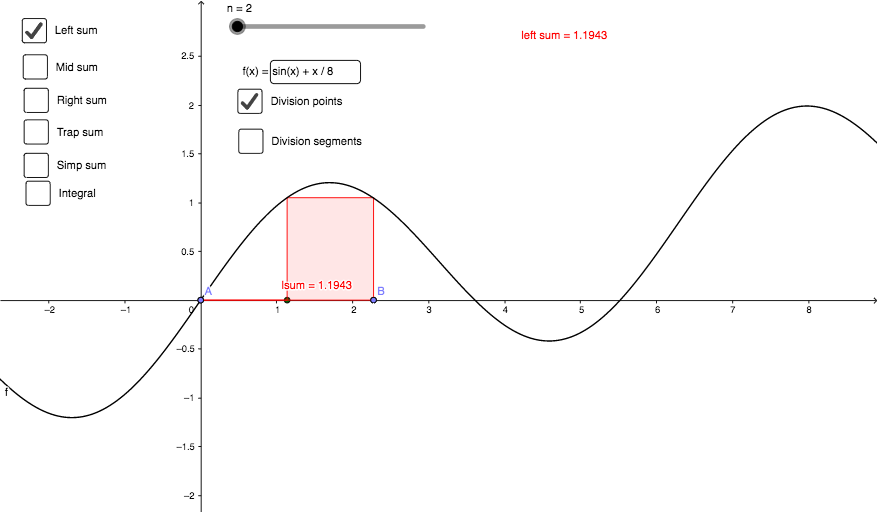
This applet visually demonstrates the comparison of different numerical integration methods. It involves core concepts of integral calculus, approximating definite integrals using rectangle and trapezoidal sums. GeoGebra commands such as Point, RectangleSum, Integral, TrapezoidalSum, Sequence, and Textfield are utilized. Suitable for students and researchers in mathematics and engineering.
GeoGebra Commands & Parameters
Point(y = 0) → APoint(y = 0) → BRectangleSum(f, x(A), x(B), n, 0) → lsumRectangleSum(f, x(A), x(B), n, 1) → rsumRectangleSum(f, x(A), x(B), n, 0.5) → msumIntegral(f, x(A), x(B)) → nintTrapezoidalSum(f, x(A), x(B), n) → tsumSequence(((i * A) + ((n - i) * B)) / n, i, 0, n) → xsubiSequence((x(Element[xsubi, i + 1]), f(x(Element[xsubi, i + 1]))), i, 0, n) → ysubiSequence(Segment[Element[xsubi, i + 1], Element[ysubi, i + 1]], i, 0, n) → segiTextfield(f) → fInputBox
AI Drawing Prompt Reference
Draw a comparison of numerical integration methods for function f over the interval [A, B]. First, draw the interval [A, B]. Then, use the rectangle method, midpoint method, and trapezoidal method to approximate the integral of f over the interval, and draw the corresponding rectangles and trapezoids. Finally, display the input box for function f.
The prompt above was compiled from the original drawing commands and is for reference only.