
Comparing Integers
Loading the math board and drawing, please wait…
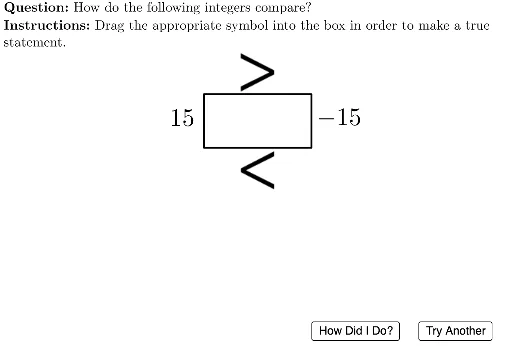
This example demonstrates comparing two integers and forming an inequality. Key math concepts include integers and their comparison. It uses commands like Polygon, Random, RandomElement, PointIn, IsInRegion, LaTeX, If, etc. Suitable for middle school math education.
GeoGebra Commands & Parameters
Polygon({(-6, 9), (26, 9), (26, -1), (-6, -1)}) → viewBoxRandom(-15, 15) → theLeftIntegerRandomElement({-15, 15}) → tempPolygon({(6, 3), (6, 7), (14, 7), (14, 3)}) → boxPointIn(viewBox) → midGreaterThanIsInRegion(midGreaterThan, box) → isGreaterThanInRegionPointIn(viewBox) → midLessThanIsInRegion(midLessThan, box) → isLessThanInRegionLaTeX((((("\text{" * QUESTION) * "\\") * INSTRUCTIONS) * "}")) → TEXTIf(temp ≟ theLeftInteger, temp + 1, temp) → theRightIntegerPolygon({(6, 3), (6, 7), (14, 7), (14, 3)}) → boxFrame
AI Drawing Prompt Reference
Draw a graphic for comparing two integers. First, draw a rectangle as the view box. Then, generate two random integers, one for the left integer and one for the right integer. Randomly generate two points within the view box and check if they are in the region of the rectangle representing the integers. Based on the check results, form an inequality. Finally, draw a rectangle frame within the view box to represent the region of the integers.
The prompt above was compiled from the original drawing commands and is for reference only.