
Comparing Fractions Using Number Lines and Rectangles by Eva Lai
Loading the math board and drawing, please wait…
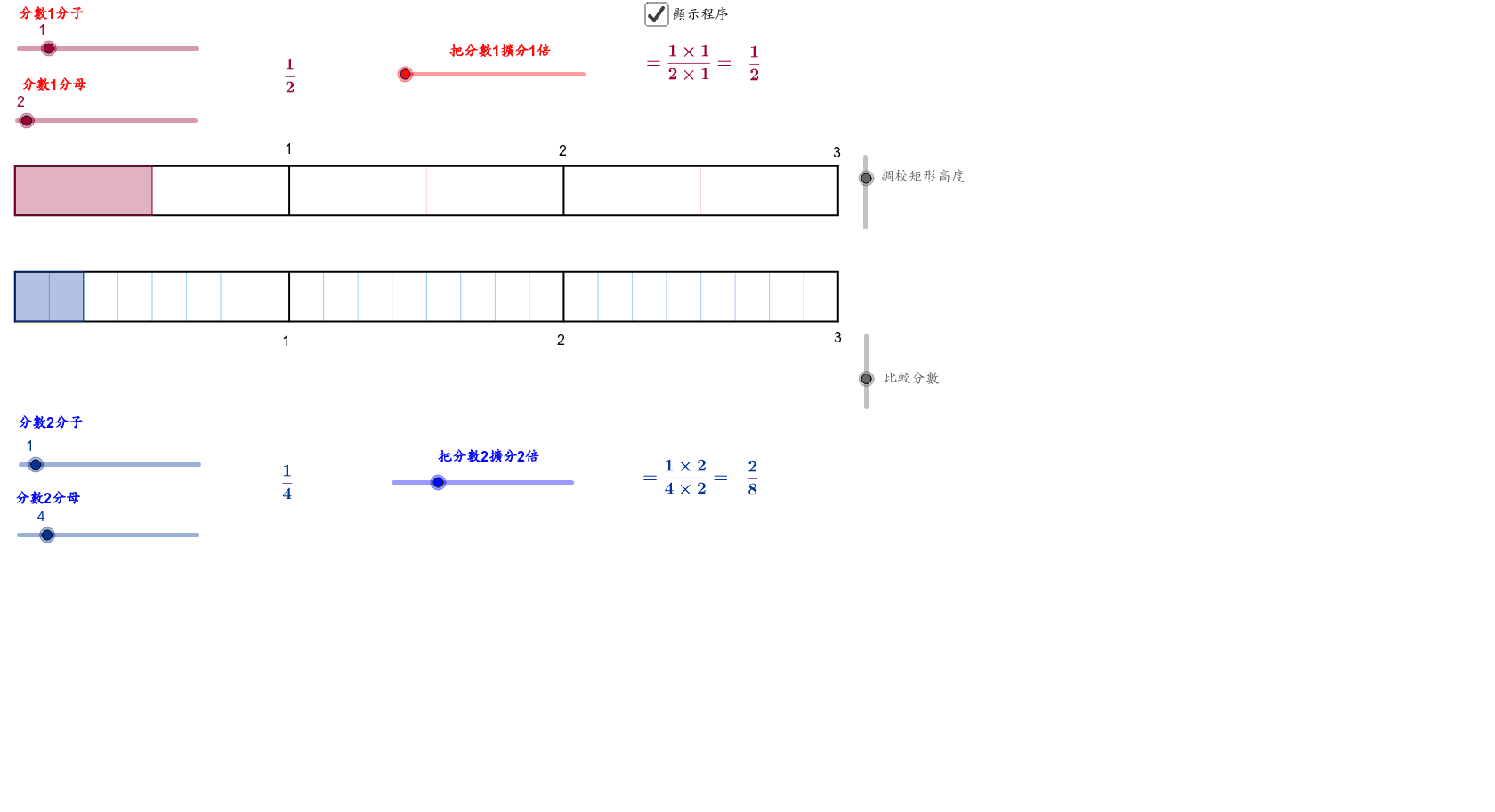
① This GeoGebra example demonstrates how to compare fractions visually using both number lines and rectangular area models, making the relative size of fractions intuitive. ② Core mathematical concepts include fraction meaning, equivalent fractions, ordering on a number line, and representing fractions as parts of a rectangle. ③ Construction highlights: uses commands such as Segment, Translate, Polygon, and Sequence to build rectangles and number lines, with Dilate and OrthogonalLine for precise positioning, and text objects to label fraction values. ④ Suitable for upper elementary to middle school students learning fraction comparison, and useful for classroom demonstrations or self-directed exploration of fraction relationships.
GeoGebra Commands & Parameters
Segment(A, B) → cDilate(A, 0.3333333333333333, B) → A'Dilate(A, 0.6666666666666666, B) → A'_1OrthogonalLine(A, c) → dVector(A, C) → uTranslate(A'_1, u) → ETranslate(A', u) → A''Translate(B, u) → B'Vector(A, D) → vTranslate(A'_1, v) → FTranslate(A', v) → A''_1Translate(B, v) → B'_1Translate(C, v) → C'Translate(E, v) → E'Translate(A'', v) → A'''Translate(B', v) → B''Segment(A, C) → eSegment(C, B') → fSegment(B', B) → gSegment(A', A'') → hSegment(E, A'_1) → iSegment(D, C') → jSegment(C', B'') → kSegment(B'', B'_1) → lSegment(B'_1, D) → mSegment(F, E') → nSegment(A''_1, A''') → pPolygon(A, C, (x(C) + (a * w / d1), y(C)), (x(A) + (a * w / d1), y(A))) → poly1, a_1, c_1, q, rPolygon(D, C', (x(C') + (b * w / d2), y(C')), (x(D) + (b * w / d2), y(D))) → poly2, d_1, c', s, tSequence(Segment[(x(A) + (w * i / ed1), y(C)), (x(A) + (w * i / ed1), y(A))], i, 1, (3 * ed1) - 1, 1) → list1Sequence(Segment[(x(A) + (w * i / ed2), y(C')), (x(A) + (w * i / ed2), y(D))], i, 1, (3 * ed2) - 1, 1) → list2Vector(A, (x(A) + (a * w / d1), y(A))) → arrow1Sequence((x(A) + (w * i / ed1), y(A)), i, 0, (3 * ed1), 1) → listdot1Sequence((x(D) + (w * i / ed2), y(D)), i, 0, (3 * ed2), 1) → listdot2Vector(D, (x(D) + (b * w / d2), y(D))) → arrow2
AI Drawing Prompt Reference
Draw two number lines and two rectangles to compare fractions. Mark three points on the number lines representing one-third and two-thirds. Divide the rectangles into three and four parts respectively, corresponding to the fractions. Label the number line with arrows and dots, and annotate the fraction values for each part. Start by sketching the number lines and rectangles, then add the markings and text, and finally connect the corresponding parts with dashed lines to show the relative sizes of the fractions.
The prompt above was compiled from the original drawing commands and is for reference only.