
Comparing Fractions by Eva Lai
Loading the math board and drawing, please wait…
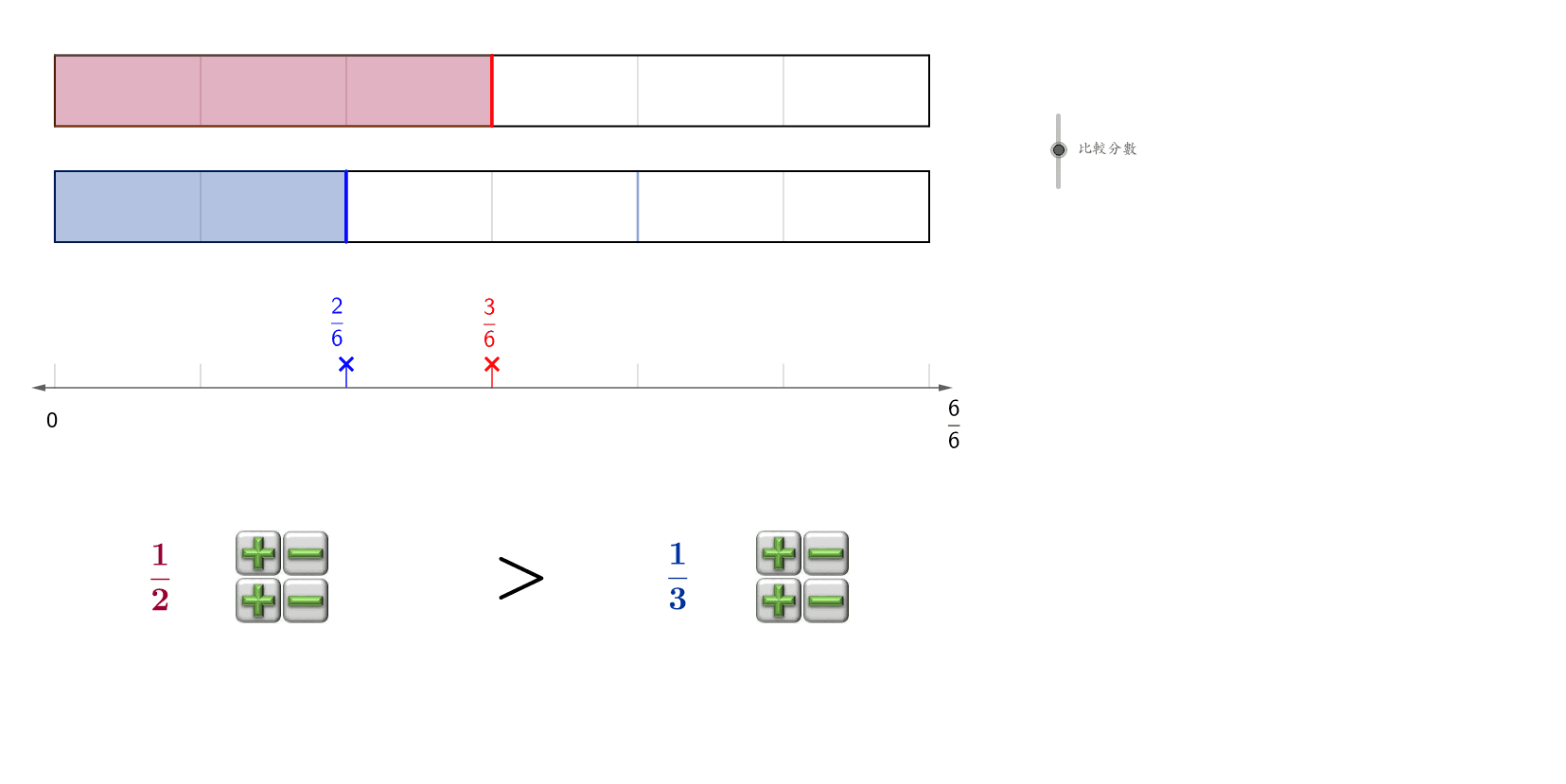
This example demonstrates how to visually compare the sizes of different fractions. Key math concepts include fraction comparison, least common multiple (LCM), vectors, and geometric transformations. Construction highlights involve commands like LCM, Segment, OrthogonalLine, Vector, Translate, Polygon, Sequence in GeoGebra. Suitable for middle school students and above for learning fraction comparison methods or for mathematical teaching demonstrations.
GeoGebra Commands & Parameters
LCM(d1, d2) → cdSegment(A, B) → cOrthogonalLine(A, c) → dVector(A, C) → uTranslate(B, u) → B'Vector(A, D) → vTranslate(B, v) → B'_1Translate(C, v) → C'Translate(B', v) → B''Segment(A, C) → eSegment(C, B') → fSegment(B', B) → gSegment(D, C') → jSegment(C', B'') → kSegment(B'', B'_1) → lSegment(B'_1, D) → mPolygon(A, C, (x(C) + ((a * w)) / d1, y(C)), (x(A) + ((a * w)) / d1, y(A))) → poly1, q, r, f_1, g_1Polygon(D, C', (x(C') + (b * w / d2), y(C')), (x(D) + (b * w / d2), y(D))) → poly2, d_1, c', s, tVector(A, (x(A) + (a * w / d1), y(A))) → arrow1Vector(D, (x(D) + (b * w / d2), y(D))) → arrow2Sequence(Segment[(x(A) + (w * i / cd), y(C)), (x(A) + (w * i / cd), y(A))], i, 1, cd - 1, 1) → cdlist1Sequence(Segment[(x(A) + (w * i / d1), y(C)), (x(A) + (w * i / d1), y(A))], i, 1, d1 - 1, 1) → list1Sequence(Segment[(x(A) + (w * i / d2), y(C')), (x(A) + (w * i / d2), y(D))], i, 1, d2 - 1, 1) → list2Sequence(Segment[(x(A) + (w * i / cd), y(C')), (x(A) + (w * i / cd), y(D))], i, 1, cd - 1, 1) → cdlist2Vector(H, I) → hSequence(Segment[(x(A) + (w * i / cd), y(H)), (x(A) + (w * i / cd), y(H + 0.5))], i, 0, cd, 1) → numlineSegment(arrowend2, (x(arrowend2), y(arrowend2) - 0.5)) → arrowl2Segment(arrowend1, (x(arrowend1), y(arrowend1) - 0.5)) → arrowl1Vector(H, K) → i
AI Drawing Prompt Reference
Draw a comparison of two fractions using the least common multiple as the common denominator, construct equal segments with lines, vectors, and translations, and use polygons to represent the fraction areas, adding arrows and a number line for annotations.
The prompt above was compiled from the original drawing commands and is for reference only.