
Comparing Fractions by Eva Lai (2)
Loading the math board and drawing, please wait…
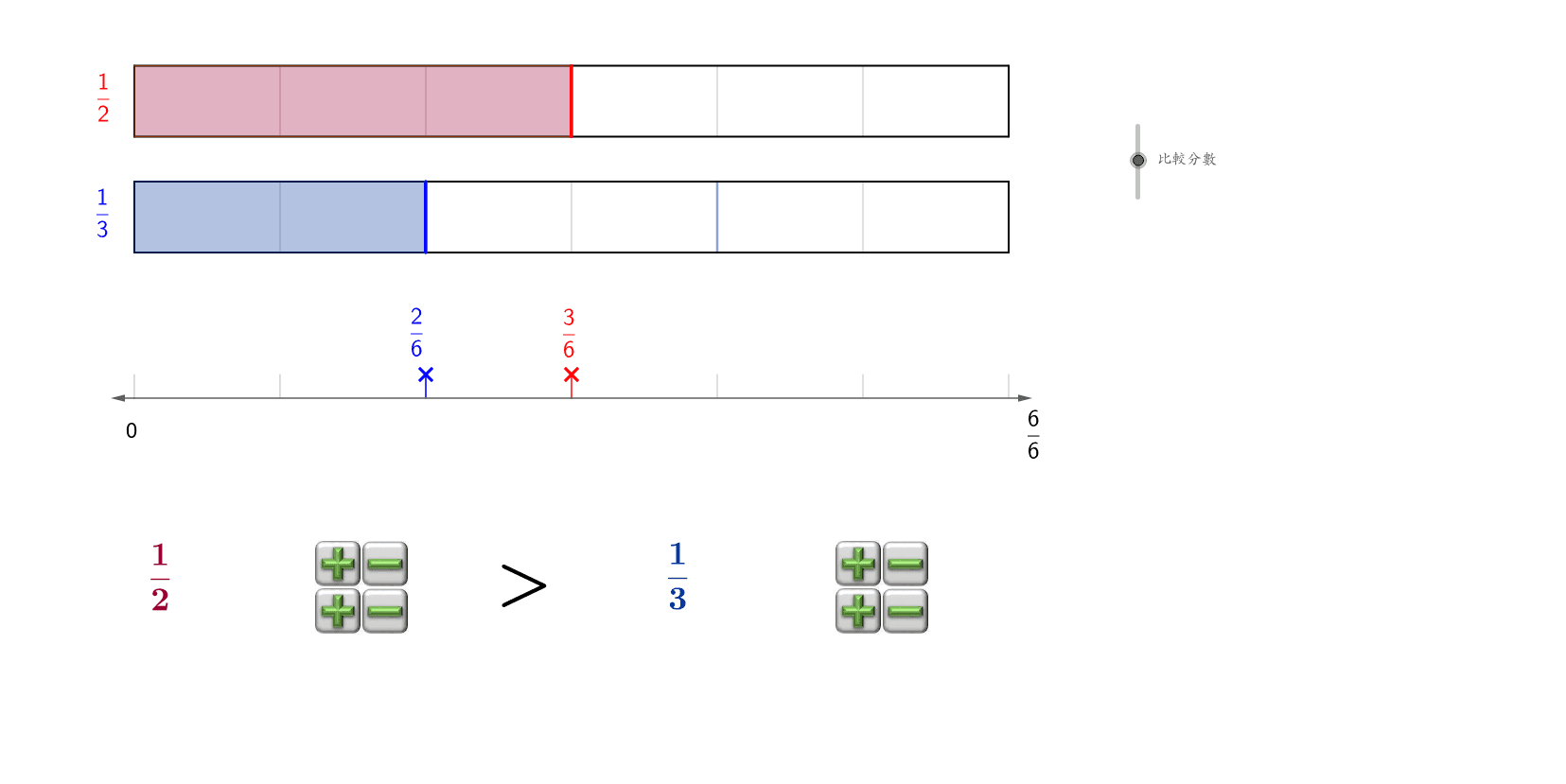
This example demonstrates how to compare the sizes of fractions. It involves basic fraction concepts and uses GeoGebra commands such as LCM, Segment, OrthogonalLine, etc., for geometric construction. Suitable for upper elementary or middle school students to better understand fraction comparison methods.
GeoGebra Commands & Parameters
LCM(d1, d2) → cdSegment(A, B) → cOrthogonalLine(A, c) → dVector(A, C) → uTranslate(B, u) → B'Vector(A, D) → vTranslate(B, v) → B'_1Translate(C, v) → C'Translate(B', v) → B''Segment(A, C) → eSegment(C, B') → fSegment(B', B) → gSegment(D, C') → jSegment(C', B'') → kSegment(B'', B'_1) → lSegment(B'_1, D) → mPolygon(A, C, (x(C) + ((a * w)) / d1, y(C)), (x(A) + ((a * w)) / d1, y(A))) → poly1, q, r, f_1, g_1Polygon(D, C', (x(C') + (b * w / d2), y(C')), (x(D) + (b * w / d2), y(D))) → poly2, d_1, c', s, tVector(A, (x(A) + (a * w / d1), y(A))) → arrow1Vector(D, (x(D) + (b * w / d2), y(D))) → arrow2Sequence(Segment[(x(A) + (w * i / cd), y(C)), (x(A) + (w * i / cd), y(A))], i, 1, cd - 1, 1) → cdlist1Sequence(Segment[(x(A) + (w * i / d1), y(C)), (x(A) + (w * i / d1), y(A))], i, 1, d1 - 1, 1) → list1Sequence(Segment[(x(A) + (w * i / d2), y(C')), (x(A) + (w * i / d2), y(D))], i, 1, d2 - 1, 1) → list2Sequence(Segment[(x(A) + (w * i / cd), y(C')), (x(A) + (w * i / cd), y(D))], i, 1, cd - 1, 1) → cdlist2Vector(H, I) → hSequence(Segment[(x(A) + (w * i / cd), y(H)), (x(A) + (w * i / cd), y(H + 0.5))], i, 0, cd, 1) → numlineSegment(arrowend2, (x(arrowend2), y(arrowend2) - 0.5)) → arrowl2Segment(arrowend1, (x(arrowend1), y(arrowend1) - 0.5)) → arrowl1Vector(H, K) → iLCM(d1, d2) → cd_1LCM(d1, d2) → cd_2LCM(d1, d2) → cd_3
AI Drawing Prompt Reference
This is a geometric figure for comparing fractions. The figure includes two rectangles and a triangle. Rectangles A and D represent two fractions, while rectangle C acts as a bridge connecting them. The triangle is placed between the rectangles to show the relationship of fraction sizes. The construction order is to draw the rectangles first, then connect them, and finally add the triangle. This figure helps understand fraction comparison methods.
The prompt above was compiled from the original drawing commands and is for reference only.