
Compare Two Decimal Numbers
Loading the math board and drawing, please wait…
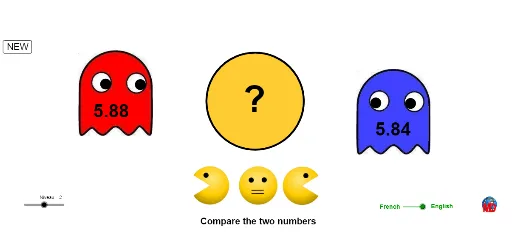
This example demonstrates how to use GeoGebra to compare two decimal numbers. The core math concepts involved include inequalities and decimal numbers. Key construction points involve using commands and objects such as Circle, Point, Rotate, CircleSector, Midpoint, If, Segment, Mirror, Mod to create and manipulate geometric shapes, visually showing the relationship between the sizes of the decimals. Suitable for middle school and above mathematics education, helping students understand how to compare inequalities and decimals.
GeoGebra Commands & Parameters
Circle(A, R) → cPoint(c) → BRotate(B, 61°, A) → B'CircleSector(A, B', B) → dMidpoint(B', A) → CRotate(C, 70°, A) → B'_1If(bb > aa ∧ b, 1, 0) → gaucheIf(bb ≟ aa ∧ e, 1, 0) → egalIf(aa > bb ∧ a, 1, 0) → droiteSegment(F, A) → fSegment(G, A) → gMirror(image5, F) → image5'Mirror(F, A) → F'Mirror(B, A) → B'_2Segment(B'_2, A) → hSegment(A, F') → iMod((disegale * 10), 2) → egCircleSector(A, F, B) → kCircleSector(A, F', B'_2) → pCircle(A, R) → qCircle(J, 0.3) → sCircle(O, 0.3) → tCircle(P, 0.3) → c_1Circle(S, 0.3) → d_1
AI Drawing Prompt Reference
Draw two circles, one with center A and radius R, the other with center J and radius 0.3. Create a point B on the first circle and rotate it 61 degrees around A to get B'. Draw an arc between B' and B. Create a midpoint C between B' and A, and rotate it 70 degrees around A to get B'_1. Use conditional statements to draw line segments on the left, middle, and right to represent less than, equal to, and greater than relationships. Finally, draw arcs based on conditions to represent inequality relationships.
The prompt above was compiled from the original drawing commands and is for reference only.