
Compare Fractions to One: Interactive Visual Practice
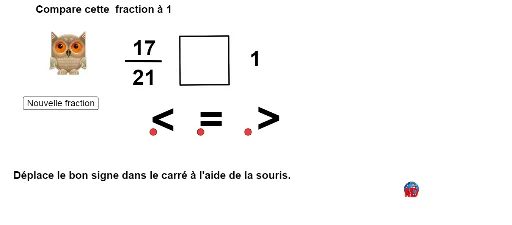
Loading the math board and drawing, please wait…
① This example demonstrates how to compare a fraction with 1 using randomly generated fractions and visual representations. ② The core mathematical concept is fraction comparison, focusing on the relationship between numerator and denominator, proper vs. improper fractions, and the reference value of one whole. ③ Construction highlights: GeoGebra commands include Random to generate random numerators and denominators, If to determine the comparison result, and Polygon/Segment to build visual models (e.g., bar or area diagrams); objects include text boxes (texte1, texte3, etc.), a refresh button (Bouton1), and multiple points, polygons, and images. ④ Suitable for upper elementary to middle school students, this interactive tool supports classroom practice or self-study, reinforcing fraction concepts and number sense.
GeoGebra Commands & Parameters
Random(1, 30) → aaRandom(1, 40) → DenomDistance(B, A) → bbDistance(C, A) → ccDistance(D, A) → ddIf(res < 1 ∧ bb < 1, 1, If[res ≟ 1 ∧ cc < 1, 1, If[res > 1 ∧ dd < 1, 1, 0]]) → voirPolygon(G, H, 4) → poly1, g, h, a, b, F, ISegment(J, K) → c