
Colorful Parametric Surfaces and Prisms Demo
Loading the math board and drawing, please wait…
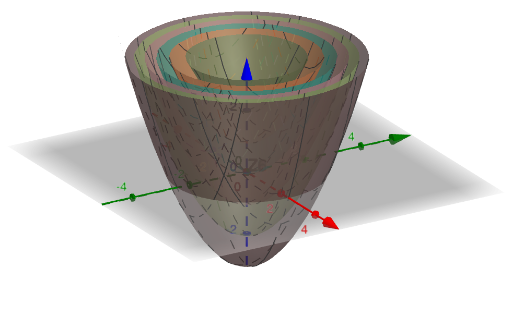
This example demonstrates how to create colorful parametric surfaces and prism models using GeoGebra. The core mathematical concepts involve parametric equations, function graphs, 3D coordinate system surface generation, and prism geometric construction. Construction details: Using the Zip command to batch generate multiple surface objects (Z1-Z6), with buttons (button1, button2) for interactive control, parameters N for surface count, Sk for scaling, Lname for labels, and function f defining color gradients. This example is suitable for high school and above students studying spatial analytic geometry, parametric equations, and 3D graphics rendering, also serving as a reference for math teachers creating multimedia teaching materials.
GeoGebra Commands & Parameters
Zip(f(x, y, k), k, N - 3) → SkZip("Z" + (k), k, N) → Lname
AI Drawing Prompt Reference
Draw colorful parametric surfaces and prism models. Include parametric equations, function graphs, 3D coordinate system surface generation, and prism geometric construction. Generate multiple surface objects Z1 to Z6, and add interactive control buttons button1 and button2. Parameters N control surface count, Sk for scaling, Lname for labels, and function f defines color gradients. The construction order is to first create parametric equations and function graphs, then generate surface objects, and finally add prism models and interactive controls.
The prompt above was compiled from the original drawing commands and is for reference only.