
Classifying Polygons by Jerel Welker
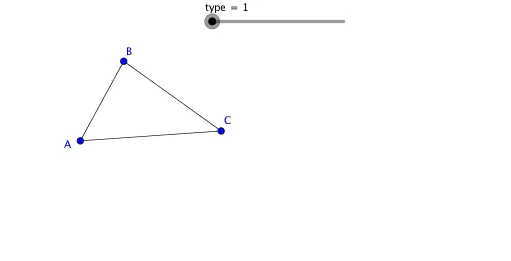
Loading the math board and drawing, please wait…
This example demonstrates how to classify polygons based on edge count and angle properties. It involves core math concepts like polygon definitions, angle measurement, quadrilateral characteristics, fraction operations, and integral calculus. Construction uses commands such as Segment, OrthogonalLine, Point, Angle, Circle, Intersect, Line, Polygon. Suitable for high school mathematics teaching, focusing on geometric construction and classification exercises.
GeoGebra Commands & Parameters
Segment(A, B) → fSegment(B, C) → gSegment(C, A) → hSegment(D, E) → iOrthogonalLine(D, i) → jPoint(j) → FSegment(F, E) → kSegment(F, D) → lAngle(E, D, F) → αSegment(G, H) → mCircle(G, H) → cCircle(H, G) → dIntersect(c, d, 1) → ISegment(I, G) → nSegment(I, H) → pSegment(J, K) → qCircle(J, K) → ePoint(e) → LSegment(J, L) → rLine(L, q) → sLine(K, r) → tIntersect(s, t) → MSegment(L, M) → aSegment(M, K) → bSegment(N, O) → f_1OrthogonalLine(N, f_1) → g_1Point(g_1) → POrthogonalLine(P, g_1) → h_1OrthogonalLine(O, f_1) → i_1Intersect(h_1, i_1) → QSegment(Q, P) → j_1Segment(Q, O) → k_1Segment(N, P) → l_1Segment(R, S) → m_1OrthogonalLine(S, m_1) → n_1Circle(S, R) → c_1Intersect(c_1, n_1, 2) → TSegment(T, S) → p_1Circle(T, S) → d_1Circle(R, S) → e_1Intersect(d_1, e_1, 2) → USegment(T, U) → q_1Segment(U, R) → r_1Segment(V, W) → s_1Line(Z, s_1) → t_1Segment(Z, W) → a_1Point(t_1) → A_1Segment(V, A_1) → b_1Segment(A_1, Z) → f_2Segment(B_1, C_1) → g_2Segment(C_1, D_1) → h_2Segment(D_1, E_1) → i_2Segment(E_1, F_1) → j_2Segment(F_1, B_1) → k_2Polygon(G_1, H_1, 5) → poly1, l_2, m_2, n_2, p_2, q_2, I_1, J_1, K_1
AI Drawing Prompt Reference
Draw a polygon by starting with three segments to form a triangle, then add a segment connecting one vertex to the midpoint of the opposite side to create a quadrilateral. Next, draw circles with diameters as two sides of the quadrilateral, connect their intersections to form a new quadrilateral. Repeat this process with the new quadrilateral to form another, and finally create the final geometric shape by connecting intersections of circles drawn from its sides, highlighting polygonal edge counts and angle properties.
The prompt above was compiled from the original drawing commands and is for reference only.