
Circle with Radii GeoGebra Demo
Loading the math board and drawing, please wait…
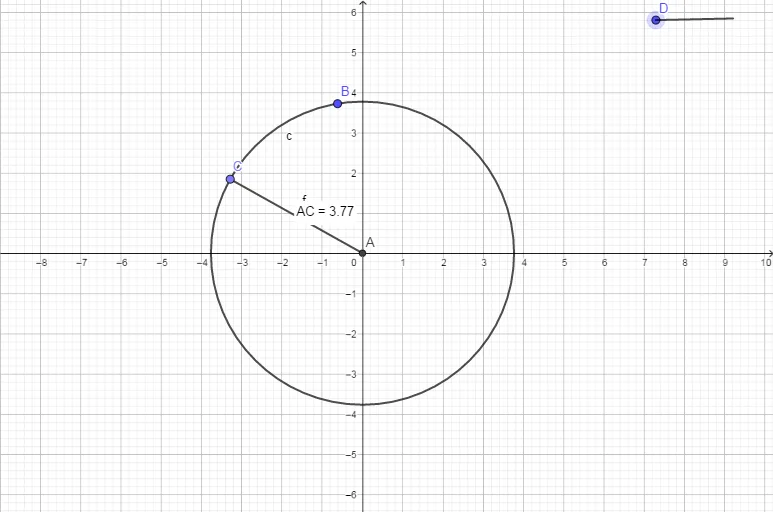
This example demonstrates how to construct a circle and its related elements using GeoGebra. The core mathematical concepts involved include circle, circumcircle, square, dilation, 3D vectors, trigonometric functions, and trigonometry. Key GeoGebra commands and objects used in the construction, as summarized from the construction commands, are Intersect, Circle, Point, Distance, and Segment. It is suitable for high school mathematics teaching or self-learning to understand geometric transformations and spatial vectors.
GeoGebra Commands & Parameters
Intersect(xAxis, yAxis) → ACircle(A, B) → cPoint(c) → CDistance(A, C) → distanceACSegment(A, C) → f
AI Drawing Prompt Reference
Draw a circle with a center and a point on its circumference. Connect the center to the point to form a line segment. Then, draw a line segment from the center to the point. Finally, draw a circle with the center at the intersection of the coordinate axes and the radius as the distance from the center to the point on the other axis, showing the relationship between the circle and the axes.
The prompt above was compiled from the original drawing commands and is for reference only.