
Circle Tangent to Line Example
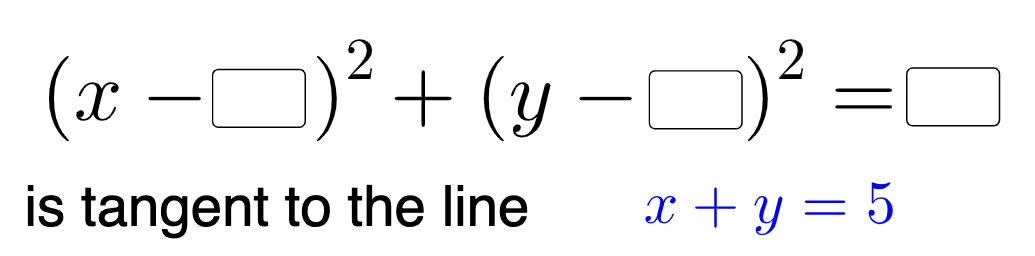
Loading the math board and drawing, please wait…
This example demonstrates how to construct a circle tangent to a given line, involving core math concepts like circle equations, tangent properties, and coordinate geometry. It uses commands and objects such as Textfield, Center, Point, Segment, If in GeoGebra. Suitable for high school students learning coordinate geometry and geometric constructions.
GeoGebra Commands & Parameters
Textfield(h) → InputBox1Textfield(k) → InputBox2Textfield(r_1) → InputBox3Textfield(r_2) → InputBox4Textfield(a) → InputBox5Center(eq1) → APoint(eq1) → BSegment(A, B) → fIf(Length[Mode[l1]] ≟ 0, "No digits repeat!", "You have repeated digits.") → text5
AI Drawing Prompt Reference
Draw a circle in the coordinate plane that is tangent to a given line. Use adjustable inputs for the circle’s center coordinates h and k, and for radii r_1 and r_2, as well as an additional parameter a used for the tangency relationship. First place the center from h and k and construct the circle from the chosen radius. Then add the necessary segment or auxiliary points/objects to reflect the tangency property with the line. Include a small text message indicating whether any repeated digits occur in the computed values.
The prompt above was compiled from the original drawing commands and is for reference only.