
Chi-Squared Distribution Calculator: Visualizing PDFs for Different Degrees of F
Loading the math board and drawing, please wait…
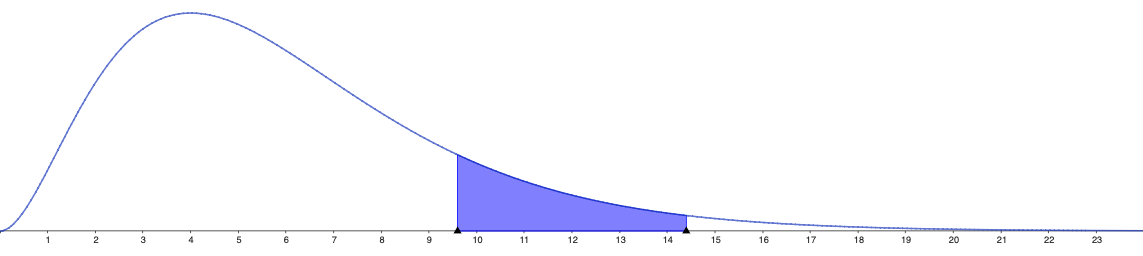
This GeoGebra example demonstrates the Chi-Squared (χ²) distribution by plotting its probability density curve for varying degrees of freedom. It helps users build intuition about how the distribution shape changes with ν and supports computing distribution-related quantities. The key concepts include the degrees of freedom, the Chi-Squared probability density function (PDF), and the interpretation of a continuous random variable’s distribution. Typical construction in GeoGebra would involve defining the Chi-Squared PDF as a function of x with parameter ν, using an input control (e.g., a slider) to vary ν, and graphing the resulting curve in a coordinate system, optionally pairing it with numerical computation objects for probability or related statistics. Suitable for secondary advanced courses and undergraduate probability & statistics learning, as well as self-study for statistical modeling.
AI Drawing Prompt Reference
Draw a chi-squared distribution probability density function plot with the horizontal axis representing the random variable and the vertical axis representing the probability density. Show multiple curves for different degrees of freedom, such as small to large values. Each curve starts near the origin, rises to a peak, then declines, showing a right-skewed shape. As the degrees of freedom increase, the peak shifts rightward and becomes higher and narrower. Include a slider or parameter control to dynamically adjust the degrees of freedom and update the corresponding curve in real time. Label the axes clearly and use distinct colors for different curves to illustrate how the shape changes with the parameter.
The prompt above was compiled from the original drawing commands and is for reference only.