
Checkerboard Cube: Symmetry and Geometric Construction
Loading the math board and drawing, please wait…
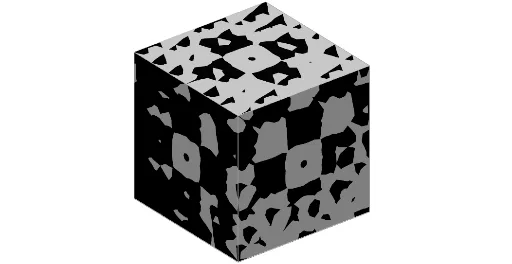
This example demonstrates a cube with a checkerboard pattern on its surfaces, visualizing spatial symmetry and geometric properties through interactive construction. Core mathematical concepts include cube symmetry, congruence, median value, and statistical characteristics in geometry, blending solid geometry with data analysis. Construction highlights: using GeoGebra commands such as Point, Polygon, Surface, and Cube to build the 3D solid, with Textfield and Speed sliders for dynamic control, and named faces (e.g., faceHINM, faceINSP) to create the checkerboard texture, alongside objects like Length and Median for statistical measures. Suitable for high school to early college students, this serves as a tool for teaching solid geometry, exploring symmetry, and illustrating how statistical concepts apply to geometric figures.
GeoGebra Commands & Parameters
Point(Circle[I, Distance[H, I], Segment[H, I]]) → JPolygon(I, H, L, K) → poly1, i_1, h, l, k_2Textfield(f) → ChampTexte1Surface(x(F) + t, y(F) + s, z(F) + (a * f(t, s)), s, (-Length), Length, t, (-Length), Length) → bCube(I, H, zAxis) → j, M, faceHMRQ, faceMNSR, facePQRS, arêteIN, arêteHI, arêteHM, arêteMN, arêteIP, arêteNS, arêtePS, N, arêtePQ, arêteHQ, arêteQR, arêteMR, arêteRS, P, Q, R, S, faceHINM, faceINSP, faceHIPQSurface(x(D) + t, y(D) + (a * f(t, s)), z(D) + s, t, (-Length), Length, s, (-Length), Length) → mSurface(x(G) + (a * f(t, s)), y(G) + t, z(G) + s, t, (-Length), Length, s, (-Length), Length) → eSurface(x(E) + t, y(E) + s, z(E) - (a * f(t, s)), s, (-Length), Length, t, (-Length), Length) → oSurface(x(B) - (a * f(t, s)), y(B) + t, z(B) + s, t, (-Length), Length, s, (-Length), Length) → nSurface(x(C) + t, y(C) - (a * f(s, t)), z(C) + s, t, (-Length), Length, s, (-Length), Length) → c
AI Drawing Prompt Reference
Create a cube with a checkerboard pattern on its surfaces to visualize spatial symmetry and geometric properties. The cube should have alternating colored faces, with dynamic control via sliders for texture density. Incorporate statistical measures like length and median to analyze geometric characteristics. Begin by constructing the cube's basic framework, then add a checkerboard texture to each face, and finally combine statistical information to illustrate the integration of geometry and data analysis.
The prompt above was compiled from the original drawing commands and is for reference only.