
Centroid Construction with Limited Toolbar by Steve Phelps
Loading the math board and drawing, please wait…
In collections
Congruence (CO) Cluster
Congruence (Vol 2)
CCSS High School: Geometry (Congruence) Volume 2
CCSS High School: Geometry (Congruence) Volume 2
CCSS High School: Geometry (Congruence) Volume 2
Geometry (Congruence) Volume 2
CCSS High School: Geometry (Congruence) Volume 2
CCSS High School: Geometry (Congruence) Volume 2
CCSS High School: Geometry (Congruence) Volume 2
CCSS High School: Geometry (Congruence) Volume 2
CCSS High School: Geometry (Congruence) Volume 2
CCSS High School: Geometry (Congruence) Volume 2
CCSS High School: Geometry (Congruence) Volume 2
Gail LeBlancCCSS High School: Geometry (Congruence) Volume 2
CCSS High School: Geometry (Congruence) Volume 2
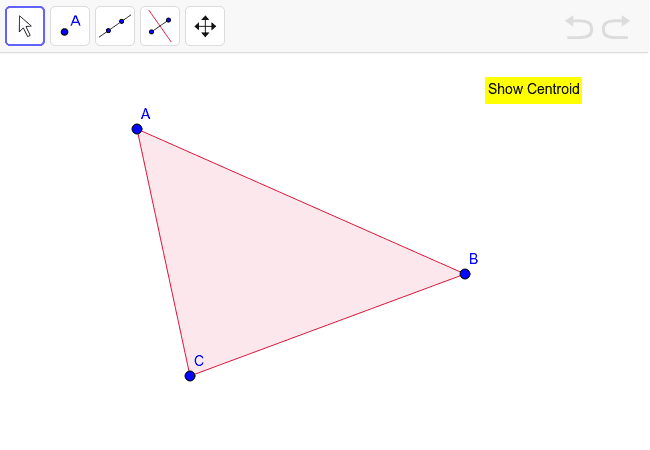
This example demonstrates how to construct the centroid of a triangle using a limited GeoGebra toolbar. Key math concepts include geometric constructions and centroid properties of triangles. The construction involves commands like Polygon to create a polygon, objects such as points A, B, C, poly1, c, a, b, D, and display commands like show and text1. Suitable for middle school and above students learning geometric construction techniques, ideal for classroom instruction or homework practice.
GeoGebra Commands & Parameters
Polygon(A, B, C) → poly1, c, a, b
AI Drawing Prompt Reference
Draw a triangle with three vertices. Connect the vertices to form the triangle. Then find the midpoint of each side. From each vertex, draw a line segment to the midpoint of the opposite side, creating three medians. These medians intersect at a single point, which is the centroid of the triangle. The figure should clearly show the triangle, the three medians, and the centroid point, suitable for demonstrating geometric construction.
The prompt above was compiled from the original drawing commands and is for reference only.