
Central Symmetry Frame Demonstration
Loading the math board and drawing, please wait…
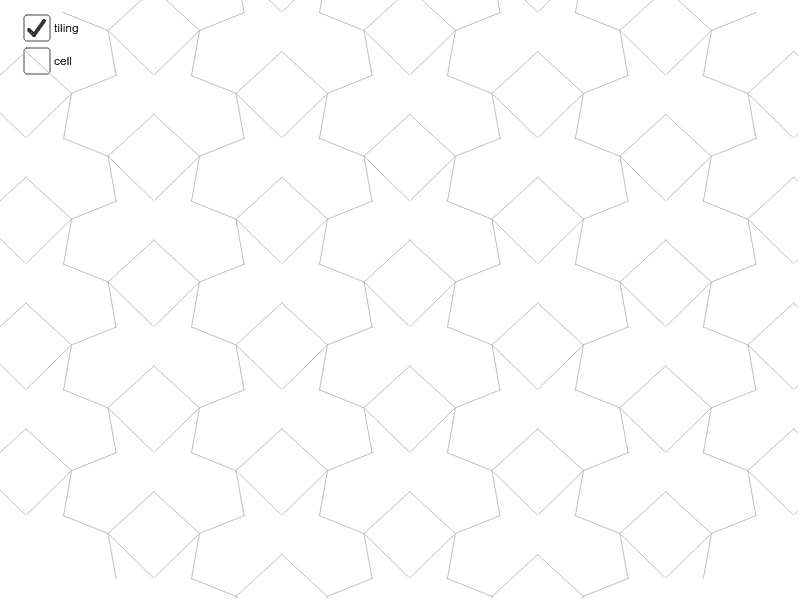
This example demonstrates the construction and properties of a central symmetry frame; involves core math concepts like symmetry, vectors, midpoints, segments, sequences, ellipses; constructed using GeoGebra commands like Point, Mirror, Midpoint, Vector, Segment, Sequence, Line; suitable for high school mathematics teaching, understanding geometric transformations and applications of analytical geometry.
GeoGebra Commands & Parameters
Point(j) → BMirror(B, xAxis) → CMidpoint(A, B) → EMidpoint(B, D) → FMidpoint(D, C) → GMidpoint(C, A) → HMidpoint(C, B) → IVector(A, B) → uVector(A, C) → vVector(C, D) → wVector(B, D) → aSegment(H, F) → bSegment(E, G) → cSegment(J, K) → eSegment(K, L) → fSegment(K, M) → gSegment(K, N) → hMirror(cell1, j) → cell2Sequence(Translate[Sequence[Translate[tile, Vector[(n * u)]], n, -3, 3], Vector[(m * v)]], m, -3, 3) → tilingLine(H, E) → kLine(G, F) → lSegment(C, B) → n
AI Drawing Prompt Reference
Draw a demonstration of a central symmetry frame, including a point and its mirror image across the x-axis, then find midpoints between these points and others. Connect the midpoints to form segments. Use vectors to create multiple translations for symmetric patterns, and display the corresponding segments and vectors to illustrate the properties of central symmetry.
The prompt above was compiled from the original drawing commands and is for reference only.