
Cayley Graph
Loading the math board and drawing, please wait…
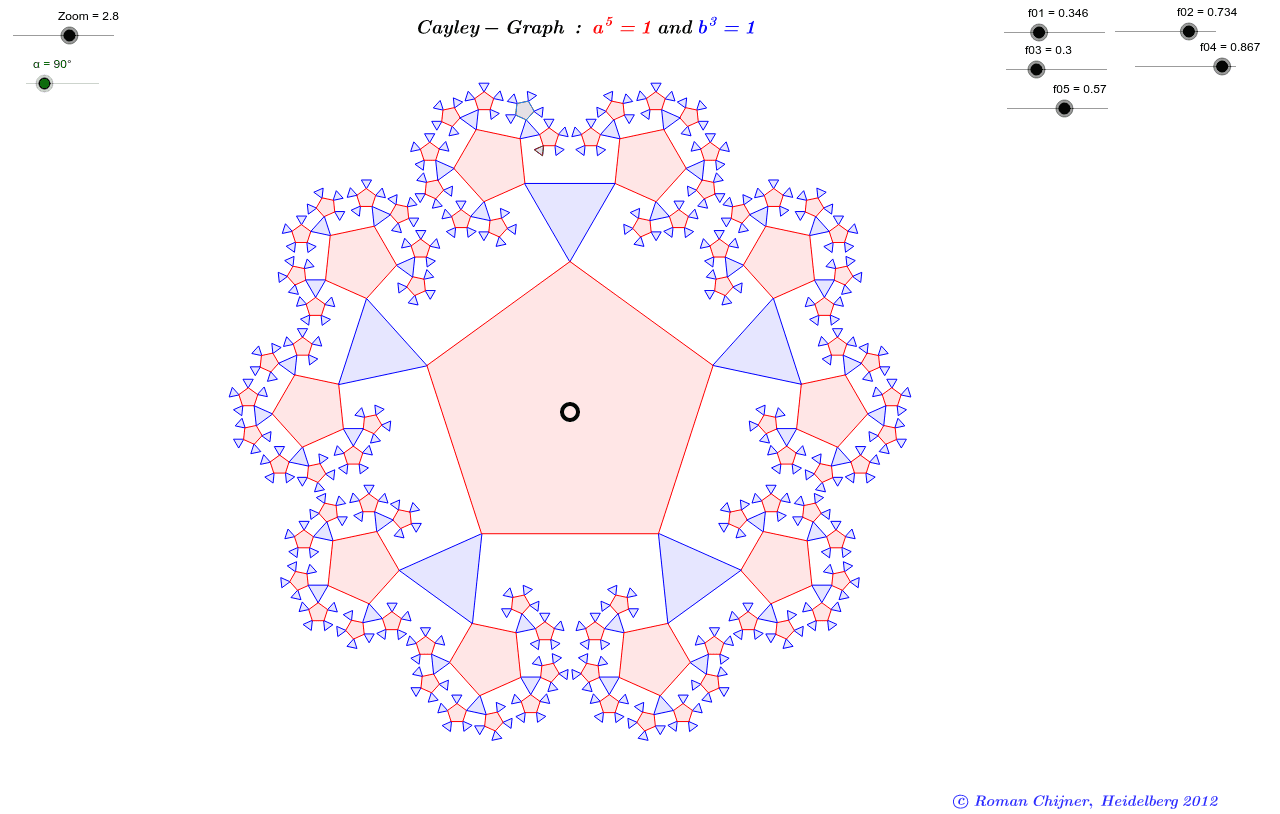
A Cayley graph is a graph that illustrates the generators and their relations in a group. This example uses GeoGebra commands like Sequence, Polygon, Mirror to construct a Cayley graph. Suitable for high school and above math enthusiasts and learners.
GeoGebra Commands & Parameters
Sequence(Rotate[O1 + (Zoom; α), 2 * π / 5 * i, O1], i, 0, 5) → l01Sequence(Rotate[Element[l01, 1], 2 * π / 3 * i, O2], i, 0, 2) → l02Polygon(l01) → V01, , , , , ,Polygon(l02) → V02, , ,Sequence(Rotate[Element[l02, 3], 2 * π / 5 * i, O3], i, 0, 5) → l03Polygon(l03) → V03, , , , , ,Sequence(Rotate[Element[l03, 2], 2 * π / 3 * i, O4], i, 0, 2) → l04Polygon(l04) → V04, , ,Sequence(Rotate[Element[l04, 2], 2 * π / 5 * i, O5], i, 0, 5) → l05Polygon(l05) → V05, , , , , ,Sequence(Rotate[Element[l05, 2], 2 * π / 3 * i, O6], i, 0, 2) → l06Polygon(l06) → V06, , ,Sequence(Rotate[V06, 2 * π / 5 * i, O5], i, 0, 3) → V16Mirror(V16, Line[O3, O4]) → V16'Mirror(V05, Line[O3, O4]) → V05'Sequence(Rotate[{V16, V16'}, 2 * π / 5 * i, O3], i, 0, 3) → V16''Sequence(Rotate[{V05, V05'}, 2 * π / 5 * i, O3], i, 0, 3) → V15''Sequence(Rotate[V04, 2 * π / 5 * i, O3], i, 0, 3) → V14''Mirror(V14'', Line[O1, O2]) → V14'''Sequence(Rotate[{V16'', Mirror[V16'', Line[O1, O2]]}, 2 * π / 5 * i, O1], i, 0, 4) → V160Sequence(Rotate[{V15'', Mirror[V15'', Line[O1, O2]]}, 2 * π / 5 * i, O1], i, 0, 4) → V150Sequence(Rotate[{V14'', Mirror[V14'', Line[O1, O2]]}, 2 * π / 5 * i, O1], i, 0, 4) → V140Sequence(Rotate[{V03, Mirror[V03, Line[O1, O2]]}, 2 * π / 5 * i, O1], i, 0, 4) → V130Sequence(Rotate[V02, 2 * π / 5 * i, O1], i, 0, 4) → V120
AI Drawing Prompt Reference
Draw a Cayley graph to illustrate the generators and their relations, using rotations and mirrors to construct multiple polygons, first rotating generators around a central point, then rotating around other points, and finally obtaining symmetric shapes through mirror operations, presenting a complex geometric structure overall.
The prompt above was compiled from the original drawing commands and is for reference only.