
Calculating Surface Area of a Triangular Prism
Loading the math board and drawing, please wait…
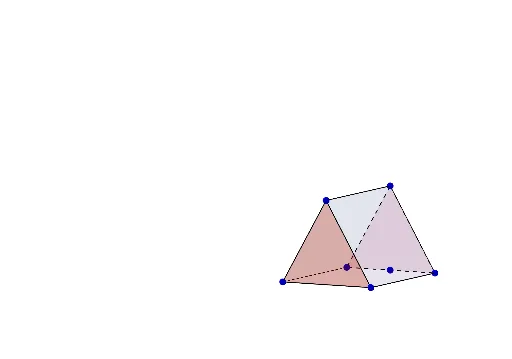
This example demonstrates how to calculate the surface area of a triangular prism. Key math concepts include prisms, surface area, triangle area formulas, and polygon construction. It uses commands like Segment, Point, Distance, Polygon, Intersect, Midpoint to construct the prism's faces and objects like α, B, b, C, H_1 for area calculations. Suitable for middle school students and above learning solid geometry and surface area, or for educational demonstrations.
GeoGebra Commands & Parameters
Segment(B, C) → fPoint(f) → N_1Distance(B, N_1) → BNDistance(N_1, B) → NBDistance(N_1, C) → NCPolygon(A, B, E, D) → poly1, a, b_1, e, dPolygon(G, C, F, H) → poly2, g, c, f_1, h_1Polygon(I, B, C) → poly3, c_1, i, b_2Polygon(J, F, E) → poly4, e_1, j, f_2Polygon(B, E, F, C) → poly5, b_3, e_2, f_3, c_2Segment(A, B) → kSegment(B, C) → lSegment(G, C) → mSegment(D, E) → nIntersect(b_1, n) → KSegment(E, F) → pSegment(F, H) → qMidpoint(h_1) → L
AI Drawing Prompt Reference
Draw a three-dimensional triangular prism to illustrate surface area calculation. The prism has two congruent triangular bases and three rectangular lateral faces. Start by constructing one triangular base, then place a point on one of its edges and measure the distances from this point to the two endpoints. Next, build the prism's faces: the two triangular bases and three rectangles, ensuring they connect properly. On one rectangular face, mark the intersection of an edge with the base edge, and locate the midpoint of that rectangular face. The overall figure should clearly show the prism's solid structure, with faces distinguished by color or transparency for easy identification of area components.
The prompt above was compiled from the original drawing commands and is for reference only.