
Calculate Quadrilateral Perimeter
Loading the math board and drawing, please wait…
In collections
PARCC Math III Unit 5 Lesson 8
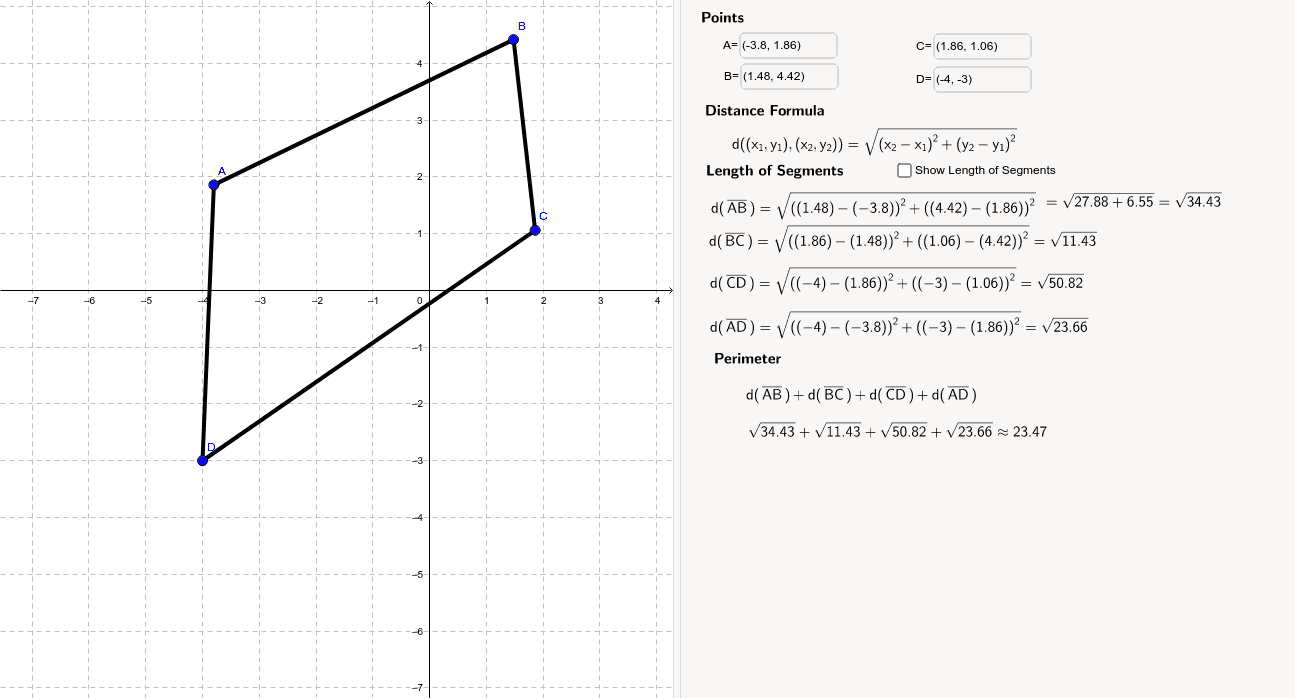
This example demonstrates how to use GeoGebra to calculate the perimeter of a quadrilateral. Core math concepts include perimeter calculation and polygon properties. Construction highlights involve using commands like Segment, Textfield, and Length to create the quadrilateral and measure side lengths. Suitable for high school mathematics teaching or student exploration of geometric problems.
GeoGebra Commands & Parameters
Segment(A, B) → aSegment(B, C) → bSegment(C, D) → cSegment(D, A) → dTextfield(A) → inputBox1Textfield(B) → inputBox2Textfield(C) → inputBox3Textfield(D) → inputBox4Length(a) → eSegment(A, B) → fSegment(B, C) → gSegment(C, D) → hSegment(D, A) → iSegment(A_1, B_1) → a_1Segment(B_1, C_1) → b_1Segment(C_1, D_1) → c_1Segment(D_1, A_1) → d_1Textfield(A_1) → inputBox1_1Textfield(B_1) → inputBox2_1Textfield(C_1) → inputBox3_1Textfield(D_1) → inputBox4_1Segment(A_1, B_1) → f_1Segment(B_1, C_1) → g_1Segment(C_1, D_1) → h_1Segment(D_1, A_1) → i_1
AI Drawing Prompt Reference
Draw a quadrilateral by connecting four points to form its sides, measure the length of each side, label the points near each vertex, and then add the lengths of the four sides to display the total perimeter of the quadrilateral.
The prompt above was compiled from the original drawing commands and is for reference only.