
Building Parallelograms with Given Area: Quick Formative Assessment
Loading the math board and drawing, please wait…
In collections
Perimeter & Area
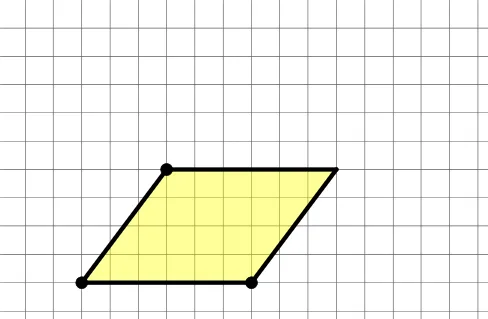
This example demonstrates how to construct a parallelogram with a specified area. It involves core math concepts like parallelogram area formula, vectors, and geometric transformations. Construction uses GeoGebra commands such as Point, Segment, Translate, Polygon. Suitable for middle school and above mathematics education as a quick formative assessment tool with basic feedback.
GeoGebra Commands & Parameters
Point(Ray[A_1, A_1 + (1, 0)]) → BSegment(A, B) → fTranslate(A, Vector[A_1, B]) → CSegment(A, C) → gSegment(C, B) → hPolygon(B, C, A, A_1) → t1, n, a, b, cInteriorAngles(t1) → α, β, γ, δ_{1}InteriorAngles(t1) → δ, ε, ζ, η_{1}Ray(C, A) → jRay(A, B) → kMin({Distance[B, C], Distance[C, A], Distance[A, A_1], Distance[A_1, B]}) → dCircle(A, (0.3 * d)) → eCircle(B, (0.3 * d)) → pCircle(C, (0.3 * d)) → qRay(A_1, B) → mIntersect(q, j) → K,Circle(A_1, (0.3 * d)) → c_1Intersect(c_1, m) → N,Segment(A, A_1) → f_1Segment(A_1, B) → g_1Segment(B, C) → h_1Segment(C, A) → i_1Angle(B, A_1, A) → κSegment(C, A) → rSegment(A_1, B) → sSegment(A, A_1) → iSegment(C, B) → lRandomElement(l1) → v_1If(t1 ≟ v_1, "√", "X") → text3
AI Drawing Prompt Reference
Construct a parallelogram with a specified area. Start by creating points A and A1, then draw a ray from A1 through A. Create point B on the ray, and draw line segment f from A to B. Translate point A along vector AB to get point C, then draw line segments g from A to C and h from C to B. Finally, use these three segments and A1 to form parallelogram t1 and label its interior angles.
The prompt above was compiled from the original drawing commands and is for reference only.