
Build a Circle: Radius, Diameter, Circumference, Area
Loading the math board and drawing, please wait…
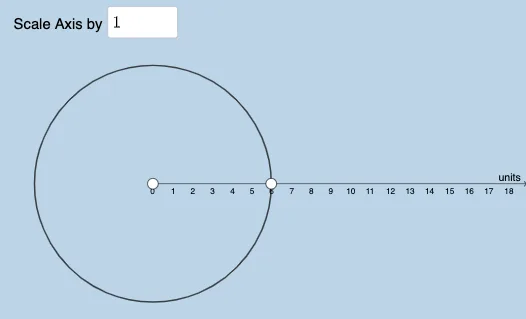
This example demonstrates how to construct a circle in GeoGebra and visualize its radius, diameter, circumference, and area. Key math concepts include circle properties, circumference formula C=2πr, and area formula A=πr². Construction involves commands like Point, Textfield, Circle, Sequence, RandomElement, Random, and objects such as buttons and sliders for interactive learning. Suitable for middle school and above, focusing on geometric construction and formula application.
GeoGebra Commands & Parameters
Point(Ray[(0, 0), (1, 0)]) → BTextfield(a) → InputBox1Point(Ray[(x(B), 0), (x(B) + 0.01, 0)]) → ACircle(B, A) → cSequence(i, i, 1, 25, 0.5) → set1RandomElement(set1) → bSequence(i, i, 1, 20, 0.5) → L_1Sequence(Element[L_1, i]^(2), i, 1, Length[L_1], 1) → L_2, {1, 2.25, 4, 6.25, 9, 12.25, 16, 20.25, 25, 30.25, 36, 42.25, 49, 56.25, 64, 72.25, 81, 90.25, 100, 110.25, 121, 132.25, 144, 156.25, 169, 182.25, 196, 210.25, 225, 240.25, 256, 272.25, 289, 306.25, 324, 342.25, 361, 380.25, 400}RandomElement(L_2) → dRandom(1, 4) → n