
Broken Protractor: Guess-Estimate Angle Measures and Verify
Loading the math board and drawing, please wait…
In collections
Some terms & definitions. Angles, angle pairs, angle measure
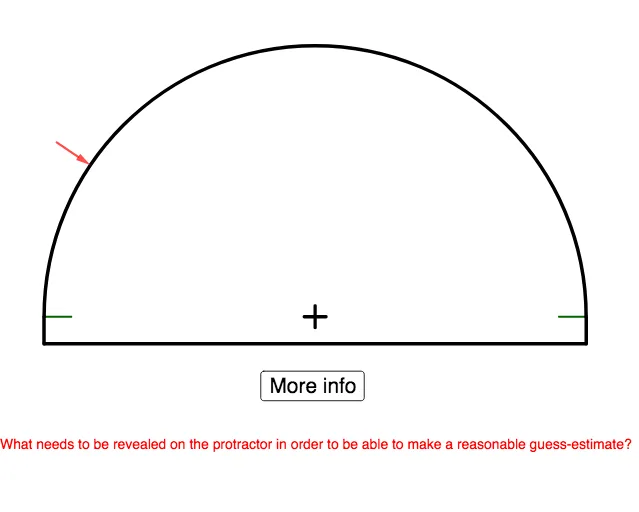
This GeoGebra example demonstrates how to estimate angle measures using a “Broken” protractor with minimal markings, then verify the estimate against the actual computed angle. It focuses on angle measurement in degrees (∠α), the geometry of rays and their included angle, and the learning value of comparing guessed readings with precise measurement. Construction highlights include the use of RandomElement and Sequence to generate randomized angle situations and step logic; Arc and Segment to build the protractor arc and auxiliary geometry; Point and Vector to place key points and define ray directions; Angle to compute both the true measure (e.g., angleMeasure) and the shown/estimated measure (e.g., shownAngleMeasure); Text to present instructions and angle labels (starterText, textAngle, angleText, etc.); If to control interactive states; and UI elements like showProtractor, button1, and button2 to support step-by-step guessing and checking. Best suited for middle/high school geometry instruction, classroom demonstrations, and activities that develop estimation accuracy and measurement reasoning.
GeoGebra Commands & Parameters
RandomElement({"L", "R"}) → zeroOnSequence(Segment[((0.93 * cos(i°)), (0.93 * sin(i°))), (cos(i°), sin(i°))], i, 5, 175, 5) → fivesSequence(Segment[((0.96 * cos(i°)), (0.96 * sin(i°))), (cos(i°), sin(i°))], i, 1, 179, 1) → onesArc(x^(2) + y^(2) = 1, (1, 0), (-1, 0)) → cSequence(Segment[((0.9 * cos(i°)), (0.9 * sin(i°))), (cos(i°), sin(i°))], i, 0, 180, 10) → tensSegment(A, B) → fSegment(C, D) → gPoint(c) → ESegment(E, F) → hSegment(F, G) → iPoint(c) → HSegment(G, H) → jSequence(Text[If[zeroOn ≟ "R", i, 180 - i] + "°", Point[{(0.813 * cos(i°)) - (0.04 * abs(cos(i°) - (0.28 * (i ≟ 90)))), (0.813 * sin(i°)) - (0.02 * abs(cos(i°)))}]], i, 0, 180, 10) → L_1If(zeroOn ≟ "R", angleMeasure, 180° - angleMeasure) → shownAngleMeasureVector(((1.15 * cos(shownAngleMeasure)), (1.15 * sin(shownAngleMeasure))), (cos(shownAngleMeasure), sin(shownAngleMeasure))) → vIf(zeroOn ≟ "L", (-1, 0), (1, 0)) → zeroPointVector((0, 0), zeroPoint) → ray1Vector((0, 0), (cos(shownAngleMeasure), sin(shownAngleMeasure))) → ray2Angle(ray1, ray2) → αText(angleMeasure, ((0.5 * cos(textAngle)), (1 / 3 * sin(textAngle)))) → angleText
AI Drawing Prompt Reference
Draw a broken semicircular protractor with a diameter line as the zero degree line and another ray at a specified angle as the angle to measure. Use arcs and segments to draw the semicircle, generate different angle markings randomly, display the angle values, allow users to estimate the angle, and then calculate the precise angle value for verification.
The prompt above was compiled from the original drawing commands and is for reference only.