
Bisection Method for Root Finding
Loading the math board and drawing, please wait…
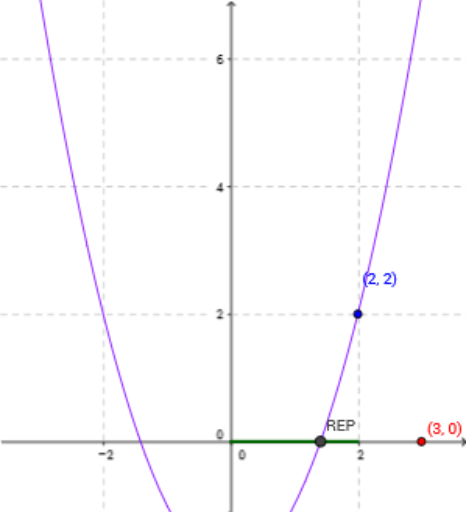
This example demonstrates the bisection method for finding roots of an equation. Key mathematical concepts include functions, the intermediate value theorem, and iterative algorithms. Using commands like Iteration, Point, Vector, Textfield, Segment, etc., from the construction summary, the principle and steps of the bisection method are clearly illustrated. Suitable for high school mathematics education and learning.
GeoGebra Commands & Parameters
Iteration(NEXTB[f, x(z), y(z)], z, {(a, b)}, n - 1) → PAIRPoint(yAxis) → x_0Vector(x_0, B) → uTextfield(f) → inputBox1Textfield(f) → inputBox2Textfield(a) → inputBox3Segment((0, x(PAIR)), (0, y(PAIR))) → cTextfield(b) → inputBox4Segment((y(a_n), 0), (y(b_n), 0)) → dMidpoint(c) → m_nMidpoint(d) → mgr_1Vector(m_n, fm_n) → mArr_nVector(b_n, fb_n) → vVector(a_n, fa_n) → wRoots(f, a, b) → REP,Vector(REMD, fER) → g
AI Drawing Prompt Reference
Draw a function graph to demonstrate the bisection method for finding roots. Start with an interval [a, b], iteratively narrow it down, marking each midpoint with a point and connecting them with line segments. Show the function expression and initial interval, indicate each iteration point and midpoint with vectors, and highlight the root's location. Illustrate the iterative process to show the principle of the bisection method.
The prompt above was compiled from the original drawing commands and is for reference only.