
Bisection Method for Finding Roots
Loading the math board and drawing, please wait…
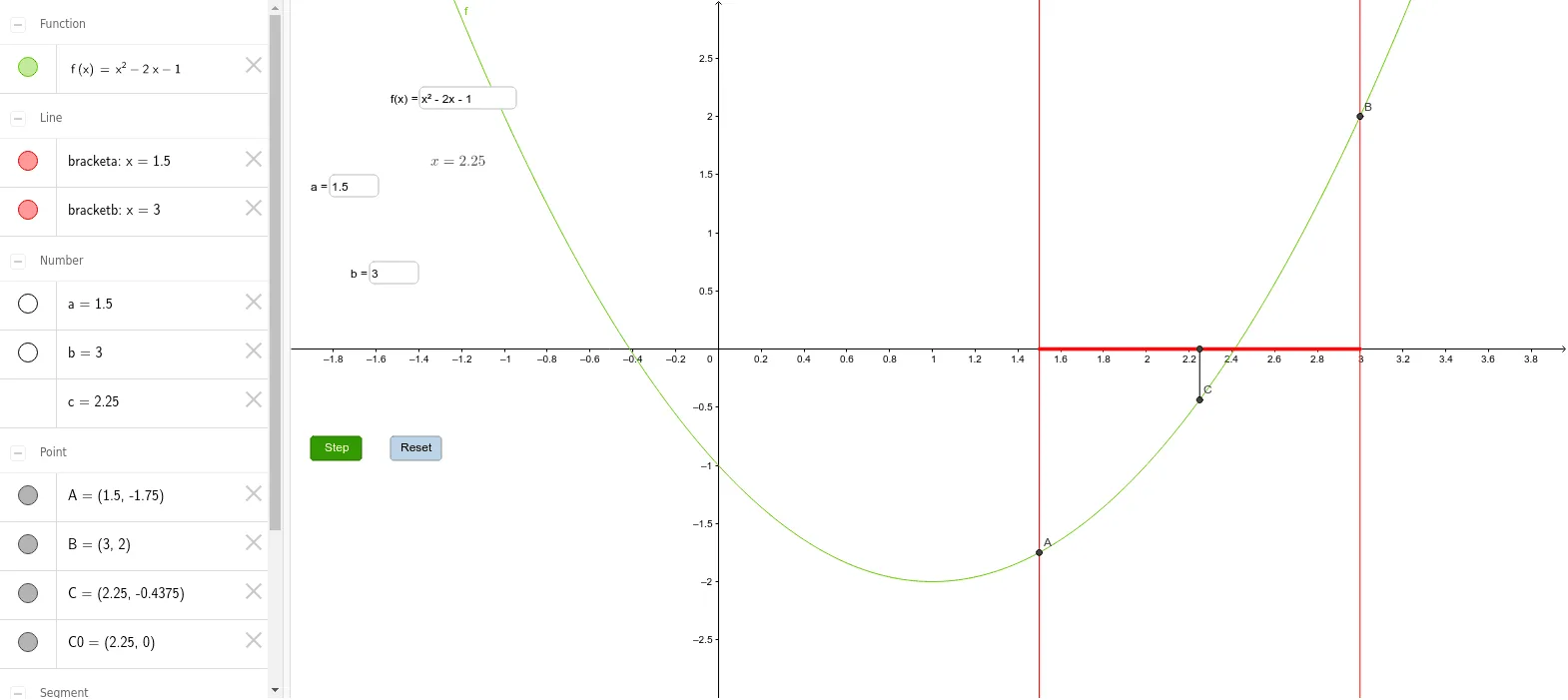
This example demonstrates the bisection method for finding roots of a continuous function. Key math concepts include continuous functions, interval halving, and the intermediate value theorem. GeoGebra commands used are Textfield, Segment, with objects like f, a, b, Inputf, Inputa, Inputb, c, displayx, A, B, C, bracketa, bracketb, C0, segc, Step, Zoom, brack, Reset. Suitable for high school and above students to understand the algorithm and its visual representation.
GeoGebra Commands & Parameters
Textfield(f) → InputfTextfield(a) → InputaTextfield(b) → InputbSegment(C0, C) → segcSegment((a, 0), (b, 0)) → brack
AI Drawing Prompt Reference
Draw the graph of a continuous function and demonstrate the bisection method for finding roots. Mark the interval [a, b] on the x-axis, connect the interval to the function's intersection points with line segments, display the midpoint of the interval, and connect the midpoint to the function graph with a line segment, gradually narrowing the interval until the root is found.
The prompt above was compiled from the original drawing commands and is for reference only.