
Area Between Two Curves by El Mostafa Kalmoun
Loading the math board and drawing, please wait…
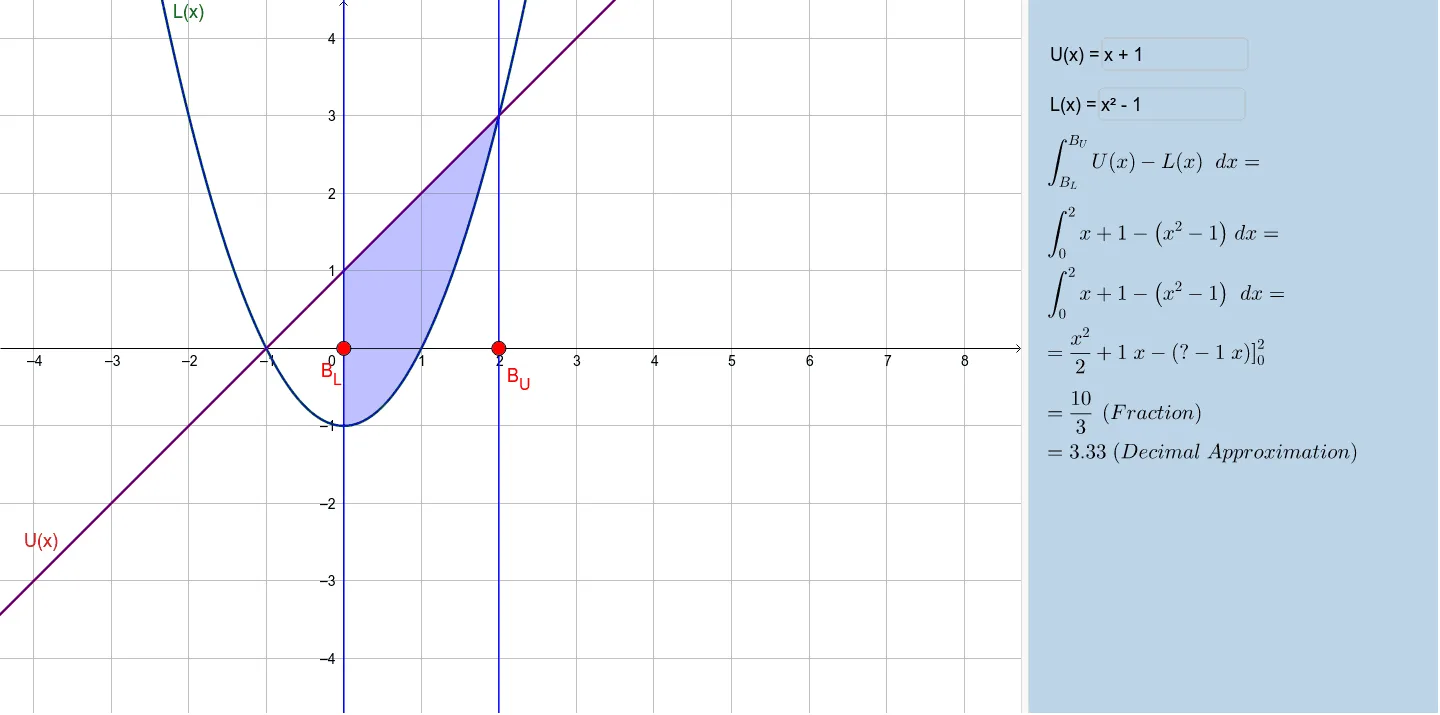
This example demonstrates how to adjust the area between two curves by dragging points along the x-axis. Users can input their own functions to calculate and observe the area between the two curves. The example involves core math concepts such as functions, integrals, and calculus. It uses GeoGebra commands like Point, Integral, Textfield, FractionText, and Simplify. Suitable for high school and above students or teachers for teaching and learning.
GeoGebra Commands & Parameters
Point(xAxis) → B_LPoint(xAxis) → B_UIntegral(U(x) - L(x), x(B_L), x(B_U)) → AreaTextfield(U) → InputBox1Textfield(L) → InputBox2FractionText(Area) → text2Simplify(U(x) - L(x)) → hIntegral(h) → p