
Big Font Partial Derivative Calculator
Loading the math board and drawing, please wait…
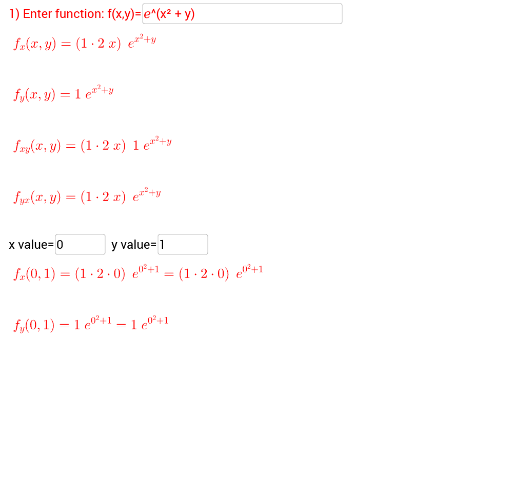
This example demonstrates the calculation and visualization of partial derivatives with a large font interface, intuitively showing the rate of change of a function with respect to different variables. Core math concepts include partial derivatives, functions, logic operations, power functions, and function graphs. It is constructed using GeoGebra commands like Derivative, Textfield, and Simplify, with objects such as yvalue, xvalue, f, and withrespectox. Suitable for high school students and beginners in calculus for understanding the definition and computation of partial derivatives.
GeoGebra Commands & Parameters
Derivative(f, x) → withrespectoxTextfield(f) → inputBox1Derivative(f, y) → withrespecttoyDerivative(withrespectox, y) → cDerivative(withrespecttoy, x) → dTextfield(A) → inputBox2Simplify(withrespecttoxevaluated) → withrespecttoxevaluatedandsimplifiedSimplify(withrespecttoyevaluated) → withrespecttoyevaluatedandsimplifiedTextfield(xvalue) → inputBox3Textfield(yvalue) → inputBox4
AI Drawing Prompt Reference
Create a large-font interactive interface for calculating and visualizing partial derivatives. Include an input box for a two-variable function, two input boxes for x and y values, and an input box for a point. Display the function's surface graph, along with the partial derivative expressions with respect to x and y, and the simplified evaluated values at the given point. Also show the mixed partial derivatives. Use large text throughout for readability, emphasizing the definition and computation of partial derivatives.
The prompt above was compiled from the original drawing commands and is for reference only.