
Basic Drawing of a Straight Line Using Equation
Loading the math board and drawing, please wait…
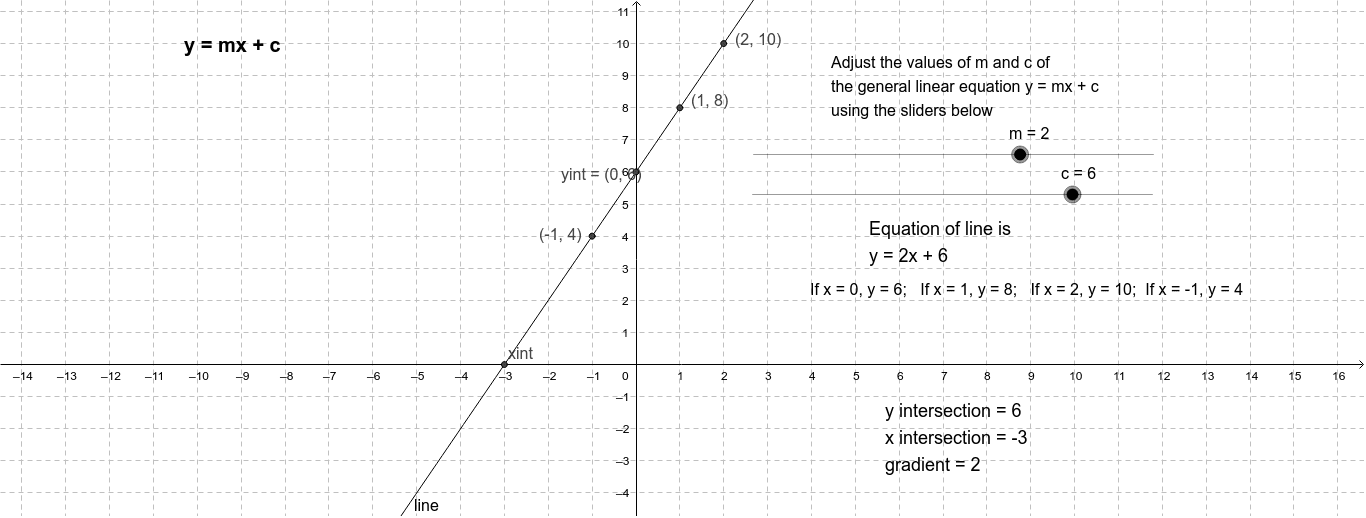
This example demonstrates drawing a straight line using the equation y = mx+c by inputting the slope m and y-intercept c. It calculates and displays 4 points on the line, as well as the gradient and intercept. GeoGebra commands like Intersect are used. Suitable for secondary school and above students learning coordinate geometry.
GeoGebra Commands & Parameters
Intersect(line, yAxis) → yintIntersect(line, xAxis) → xint
AI Drawing Prompt Reference
Draw a straight line with a slope of 2 and y-intercept of 3. Pick 4 points on the line and show the slope and y-intercept.
The prompt above was compiled from the original drawing commands and is for reference only.