
Bar Model for Linear Equations
Loading the math board and drawing, please wait…
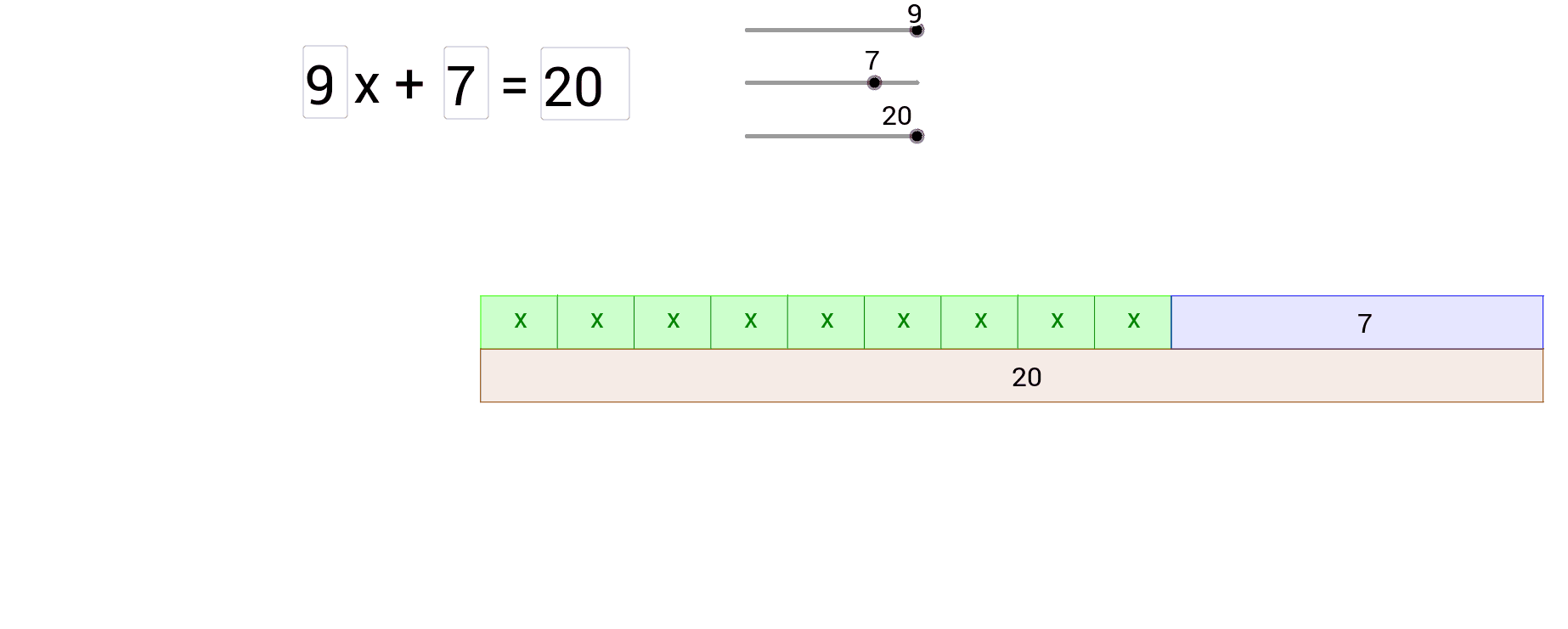
① This example demonstrates the solution process of linear equations using bar models, turning abstract algebraic equations into visual comparisons of geometric lengths. ② Core mathematical concepts include linear equations, properties of equality, variable representation, and the correspondence between graphics and algebra, with auxiliary concepts like percentages and continuity. ③ Construction highlights: using GeoGebra commands such as Point, Polygon, Sequence to build multiple rectangular bars, Textfield and InputBox for interactive input, Text for dynamic display of equations and answers, and sliders or variables to control bar lengths, illustrating the balance of both sides of an equation. ④ Suitable for middle school to high school students learning linear equations, and for teachers in classroom demonstrations to help students understand the geometric meaning of operations like transposition and combining like terms, enhancing the integration of numbers and shapes.
GeoGebra Commands & Parameters
Point(yAxis) → BTextfield(i) → InputBox1Textfield(j) → InputBox2Textfield(n) → InputBox3Point(yAxis) → APolygon(A, C, D, B) → poly1, a, c, d, bPolygon(C, F, E, D) → poly2, c_1, f, e, d_1Sequence(Segment[((x(D) / i * ii), 0), ((x(D) / i * ii), 1)], ii, 1, i) → list2Text(n, (D + F) / 2 - (0, 0.2)) → text3Polygon(G, H, F, A) → poly3, g, h, f_1, a_1Text(j, (A + H) / 2 - (0, 0.2)) → text4Sequence(Text["x", ((ii * answer) + x(D) / i / 2 - 0.1, 0.4)], ii, 0, i - 1) → list1