
Axes of Symmetry by Folding in the Square
Loading the math board and drawing, please wait…
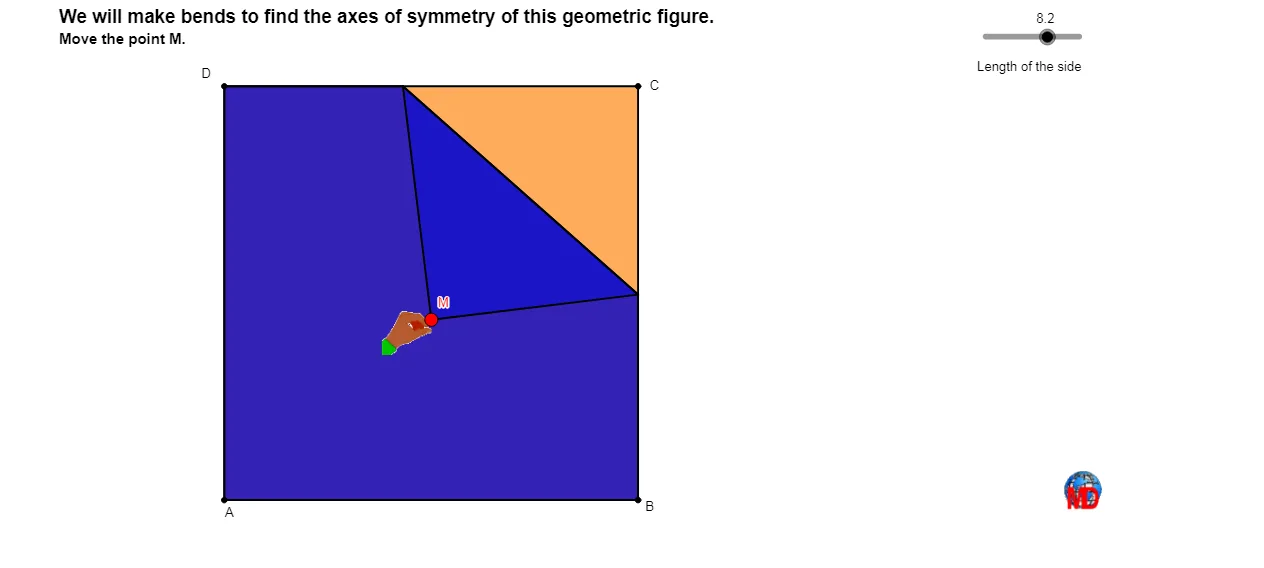
This GeoGebra example demonstrates the axes of symmetry of a square and related shapes (such as kites and hyperbolas) through the concept of paper folding. It visually shows how folding along certain lines maps the square onto itself, revealing the symmetry axes. Core mathematical concepts include axial symmetry, reflection, perpendicular bisectors, and properties of squares, kites, and hyperbolas. The construction uses GeoGebra commands: Polygon to create the square, Line for fold lines, LineBisector for perpendicular bisectors, Intersect for intersection points, Mirror for reflection, Midpoint for midpoints, Segment for line segments, and If for conditional display. Key objects include the square poly1, multiple symmetry axes (a_1, b_1, d_1, c_1, j, k, l, m), and reflected polygons poly2 through poly5. This is suitable for middle school geometry lessons on symmetry and also for high school analytic geometry when exploring the symmetry of conic sections like hyperbolas.
GeoGebra Commands & Parameters
Polygon(A, B, C, D) → poly1, a_1, b_1, d_1, c_1Line(C, B) → jLine(D, C) → kLine(A, B) → lLine(D, A) → mLineBisector(M, C) → cIntersect(c, k) → F_1Intersect(c, l) → GIntersect(c, m) → HIntersect(j, c) → IMirror(B, c) → B'Mirror(D, c) → D'Mirror(A, c) → A'Polygon(M, F_1, I) → poly2, i, e, fPolygon(F_1, D, A, B, I) → poly3, f_1, d, a_2, b_2, i_1Polygon(F_1, M, B', G) → poly4, f_2, e_1, b', gPolygon(F_1, D, A, G) → poly5, f_3, d_2, a_3, g_1Polygon(F_1, M, B', A', H) → poly6, f_4, e_2, b'_1, a', hPolygon(F_1, D, H) → poly7, h_1, f_5, d_3Polygon(H, D', M, I) → poly8, h_2, d', e_3, i_2Polygon(H, A, B, I) → poly9, h_3, a_4, b_3, i_3Polygon(H, D', M, B', G) → poly10, h_4, d'_1, e_4, b'_2, g_2Polygon(H, A, G) → poly11, g_3, h_5, a_5Polygon(G, B, I) → poly13, i_4, g_4, b_4Polygon(G, A', D', M, I) → poly12, n, p, q, r, sMidpoint(D, C) → EMidpoint(A, B) → FSegment(E, F) → tIf(Distance[M, D] ≤ 0.05, 1, 0) → okMidpoint(C, M) → JMidpoint(b_1) → KMidpoint(c_1) → LLine(L, K) → a1Line(E, F) → b1Line(D, B) → bLine(D, B) → c1Line(C, A) → d1
AI Drawing Prompt Reference
Draw a square and display all its axes of symmetry. Using the concept of paper folding, show the four lines along the square's edges as symmetry axes, as well as the two diagonals. Add two more symmetry axes passing through the square's center, perpendicular to each other, one parallel to the sides and one parallel to the diagonals. Pick a point on one diagonal and draw a perpendicular line to the other diagonal through it; this line is also a symmetry axis. Use this perpendicular line to reflect parts of the square, creating multiple overlapping polygons such as triangles, quadrilaterals, and pentagons to demonstrate symmetry. Finally, mark the midpoints of the sides and connect the midpoints of opposite sides with a segment, serving as an additional symmetry axis.
The prompt above was compiled from the original drawing commands and is for reference only.