
Art with Regular Polygons: Coloring via Rotation and Scaling
Loading the math board and drawing, please wait…
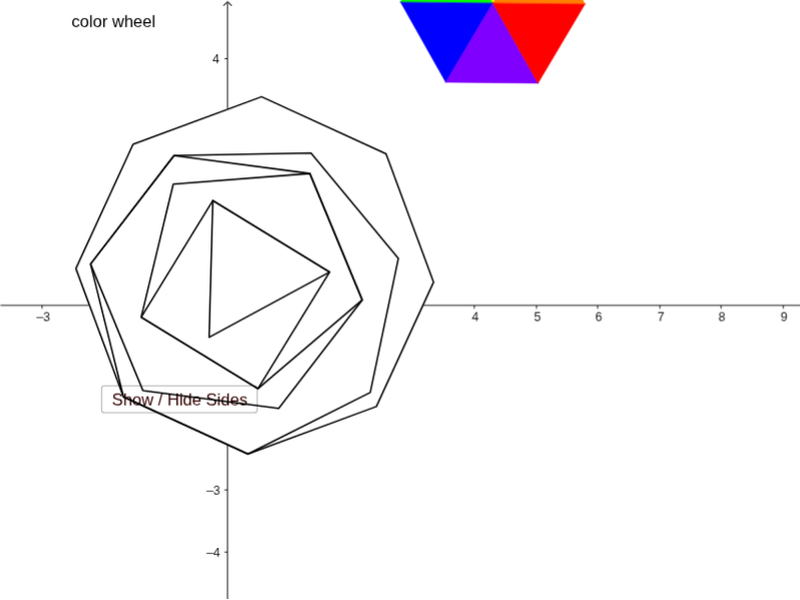
① This example demonstrates a colorful geometric artwork created by rotating, scaling, and coloring regular polygons, showing the aesthetic potential of transformations. ② Core math concepts include properties of regular polygons, rotation, dilation (homothety), polygon and polyline construction, and dynamic RGB color parameters. ③ Construction highlights: using GeoGebra commands Rotate, Polygon, PolyLine, and Dilate; objects include multiple polygons (poly1 to poly6), vertices (A, B, C1, etc.), sides (a, b, c, etc.), and sliders tt and change to control rotation angle and color components (R2, G2, B2) for animated coloring. ④ Suitable for middle/high school math or art-integrated lessons, exploring geometric transformations and parametric design, also useful for creative coding or dynamic geometry instruction.
GeoGebra Commands & Parameters
Rotate(B, π / 3, A) → C1Polygon(A, B, C1) → poly1, c1, a1, b1Rotate(C1, π / 3, A) → C2Polygon(A, C1, C2) → poly2, c2, a2, b2Rotate(C2, π / 3, A) → C3Polygon(A, C2, C3) → poly3, c3, a3, b3Rotate(C3, π / 3, A) → C4Polygon(A, C3, C4) → poly4, b4, a4, c4Rotate(C4, π / 3, A) → C5Polygon(A, C4, C5) → poly5, b5, a5, c5Polygon(A, C5, B) → poly6, b6, a6, c6Polygon(C, D, 3) → poly7, f, g, h, EPolygon(C, D, 4) → poly8, i, j, k, l, F, GPolygon(F, G, 5) → poly9, m, n, p, q, r, H, I, JPolygon(H, I, 6) → poly10, s, N, t, d, e, f_1, g_1, K, L, MPolygon(K, L, 7) → poly11, h_1, Q, R, S, i_1, j_1, k_1, l_1, m_1, n_1, O, PPolygon(O, P, 8) → poly12, p_1, U, V, W, Z, A_1, q_1, r_1, s_1, t_1, a_1, b_1, c_1, TPolyLine(C, E, D, C) → d_1PolyLine(D, F, G, C, D) → e_1PolyLine(I, K, L, M, N, H, I) → f_2PolyLine(L, O, P, Q, R, S, K, L) → g_2PolyLine(A_1, O, P, T, U, V, W, Z, A_1) → h_2PolyLine(J, F, G, H, I, J) → i_2Dilate(A, 1.3) → A'Dilate(C4, 1.3) → C4'Dilate(C5, 1.3) → C5'Dilate(A, 1.3) → A'_1Dilate(C4, 1.3) → C4'_1Dilate(C5, 1.3) → C5'_1Dilate(A, 1.3) → A'_2Dilate(C4, 1.3) → C4'_2Dilate(C5, 1.3) → C5'_2
AI Drawing Prompt Reference
Create a geometric artwork by first generating six equilateral triangles sharing a common vertex, each rotated by 60 degrees around that vertex to form a flower-like pattern. Then, from another set of base points, construct regular polygons with sides from three to eight, and connect their vertices with polylines to create nested star-like frames. Finally, enlarge the central flower pattern by a factor of 1.3 and overlay three copies on the original to add depth. Use dynamic sliders to adjust red, green, and blue color components, giving the whole composition a gradient, animated appearance.
The prompt above was compiled from the original drawing commands and is for reference only.