
Arithmetic Progression in Geometric Representation
Loading the math board and drawing, please wait…
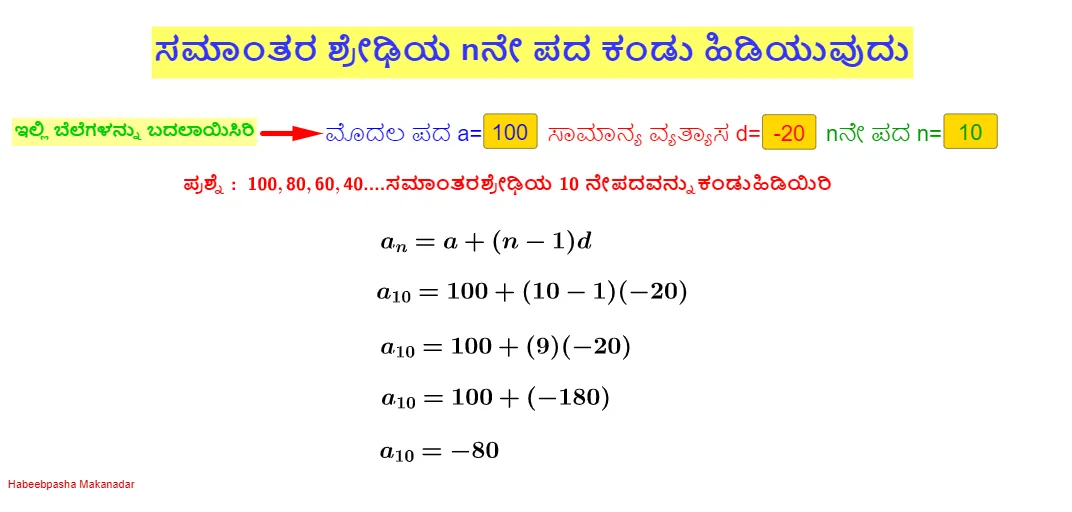
This example demonstrates the geometric representation of an arithmetic progression, involving concepts like arithmetic sequences, term formulas, and geometric construction techniques. Key construction steps include using GeoGebra commands such as Textfield, Vector, and InputBox to create sequence points, highlight common difference d, and dynamically adjust parameters n. Suitable for middle school students to learn sequence concepts and geometric construction skills.
GeoGebra Commands & Parameters
Textfield(a) → InputBox1Textfield(n) → InputBox3Textfield(d) → InputBox2Vector(A, B) → u
AI Drawing Prompt Reference
Draw the geometric representation of an arithmetic progression. First, input the first term a, then input the number of terms n and the common difference d. Next, create a vector u starting from a, with a step size of d. Use vector u to generate the first n terms of the arithmetic progression, with each point representing one term in the sequence. By adjusting the values of n and d, you can dynamically change the shape of the sequence.
The prompt above was compiled from the original drawing commands and is for reference only.