
Quadratic Equation Solving and Geometric Construction
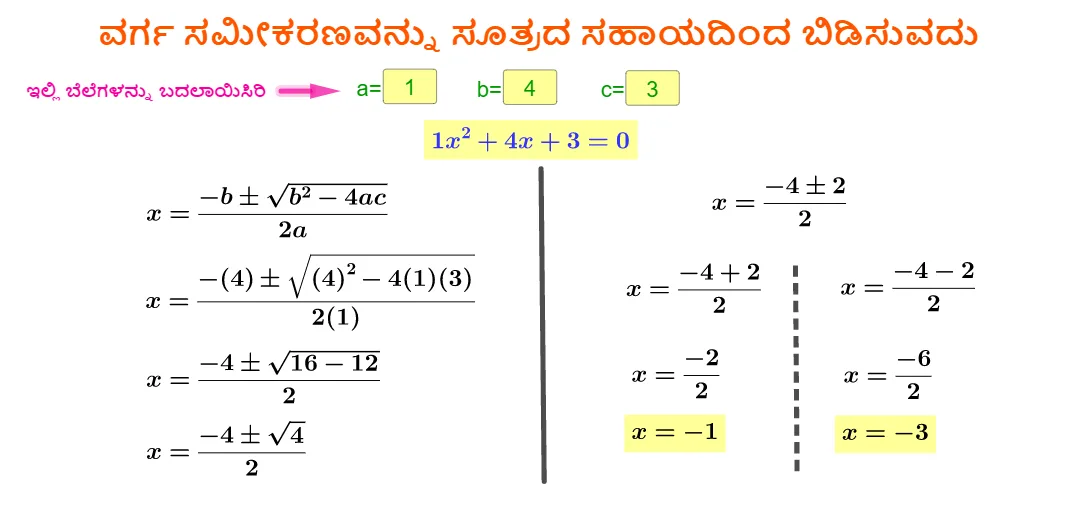
Loading the math board and drawing, please wait…
This example demonstrates solving quadratic equations using the formula and verifying them through geometric figures. Key mathematical concepts include solving quadratic equations, geometric relationships between line segments and vectors, and dynamic construction in GeoGebra. Construction involves using commands like Textfield, If, Segment, and Vector to create input fields, variables, and graphical objects. Suitable for middle school or high school students to understand the connection between equations and geometry.
GeoGebra Commands & Parameters
Textfield(a) → InputBox1Textfield(b) → InputBox2Textfield(c) → InputBox3If(h > 0, sqrt(h)) → iSegment(A, B) → nSegment(C, D) → pVector(E, F) → u
AI Drawing Prompt Reference
Draw a geometric representation of a quadratic equation, input values for a, b, and c, and solve the equation using the formula. Use line segments AB and CD to represent the geometric meaning of the solutions, and vector EF to indicate the direction of the segments. First, create input fields for a, b, and c, then determine the number of solutions based on the discriminant h. If h is greater than 0, calculate the square root of the solutions. Next, draw line segments AB and CD to represent the solutions, and finally, draw vector EF to indicate the direction of the segments.
The prompt above was compiled from the original drawing commands and is for reference only.