
Area: Unit Square Unknown Shape Part 2- Lesson 8
Loading the math board and drawing, please wait…
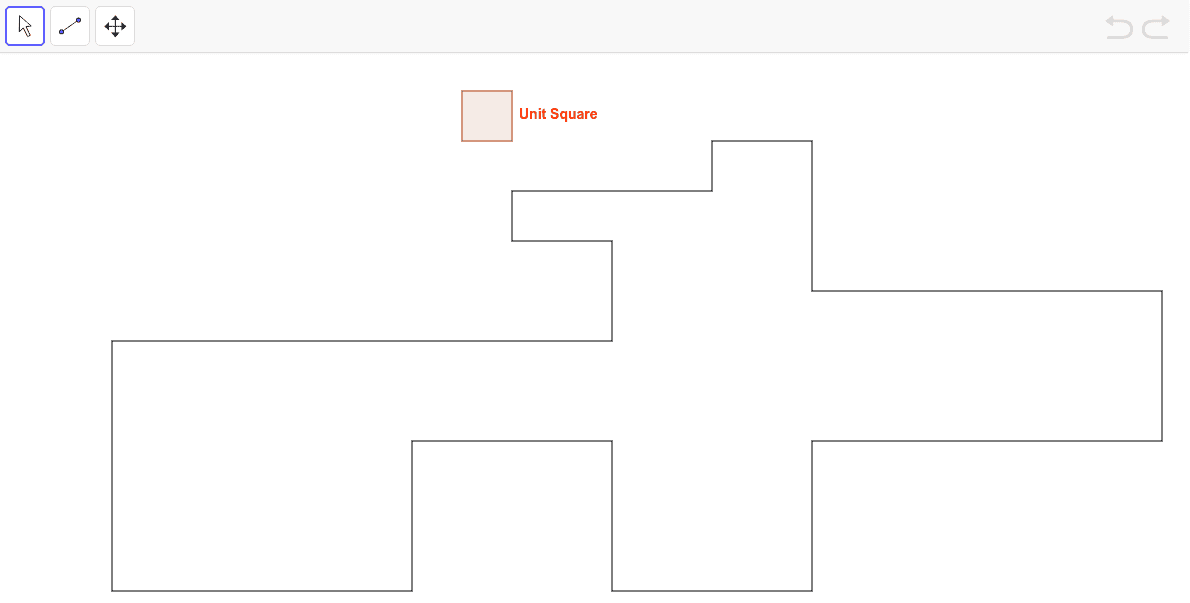
This example demonstrates how to calculate the area of an unknown shape within a unit square. Core math concepts involved include Arithmetic Mean, Division, Trapezoid, Right Triangles, and Secant Line. The construction uses GeoGebra commands like Segment, Point, and Polygon, along with numerous objects (A-Z and subscripts). Suitable for middle school and above, focusing on geometric area calculation and basic construction techniques.
GeoGebra Commands & Parameters
Segment(P, Q) → bSegment(Q, R) → cSegment(R, S) → dSegment(S, T) → eSegment(T, U) → fSegment(U, V) → gSegment(V, W) → hSegment(W, Z) → iSegment(Z, A_1) → jSegment(A_1, B_1) → pSegment(B_1, C_1) → qSegment(C_1, D_1) → rSegment(D_1, O) → sPoint(s) → E_1Segment(E_1, F_1) → aSegment(F_1, G_1) → tSegment(G_1, H_1) → a_1Segment(H_1, I_1) → b_1Point(b) → J_1Segment(I_1, J_1) → c_1Polygon(K_1, L_1, M_1, N_1) → poly1, k_1, l_1, m_1, n_1
AI Drawing Prompt Reference
Draw an irregular shape within a unit square, formed by connecting the square's sides and internal line segments. Start by outlining the square's four sides, then draw several line segments from one vertex to other sides or vertices, creating the irregular shape. Inside the square, construct a trapezoid and two right triangles, ensuring their sides coincide with or intersect the irregular shape's edges. Finally, calculate the area of the irregular shape and compare it with the areas of the trapezoid and right triangles.
The prompt above was compiled from the original drawing commands and is for reference only.