
Area under the curve calculation
Loading the math board and drawing, please wait…
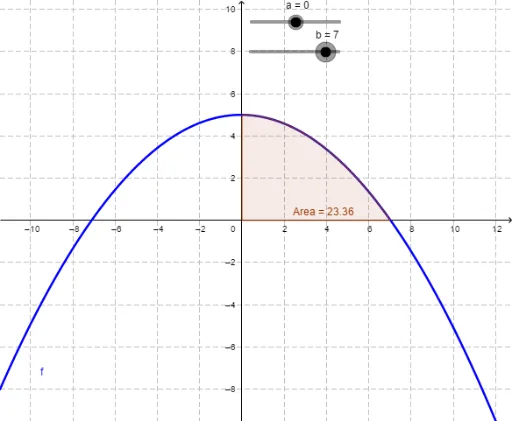
This example demonstrates how to plot and calculate the area under a curve. The core mathematical concepts involved are definite integrals and integral calculus. Key construction steps include using the Integral command in GeoGebra to compute the definite integral of function f over the interval [a, b], thereby obtaining the area. Suitable for high school and above students to learn and understand the application of integrals.
GeoGebra Commands & Parameters
Integral(f, a, b) → Area
AI Drawing Prompt Reference
Plot a function curve and indicate the interval [a, b] on the x-axis. Calculate and display the area under the curve within this interval, showing the integral calculation's application with distinct colors or shapes for the curve and the area.
The prompt above was compiled from the original drawing commands and is for reference only.