
Area of Polygons Exploration
Loading the math board and drawing, please wait…
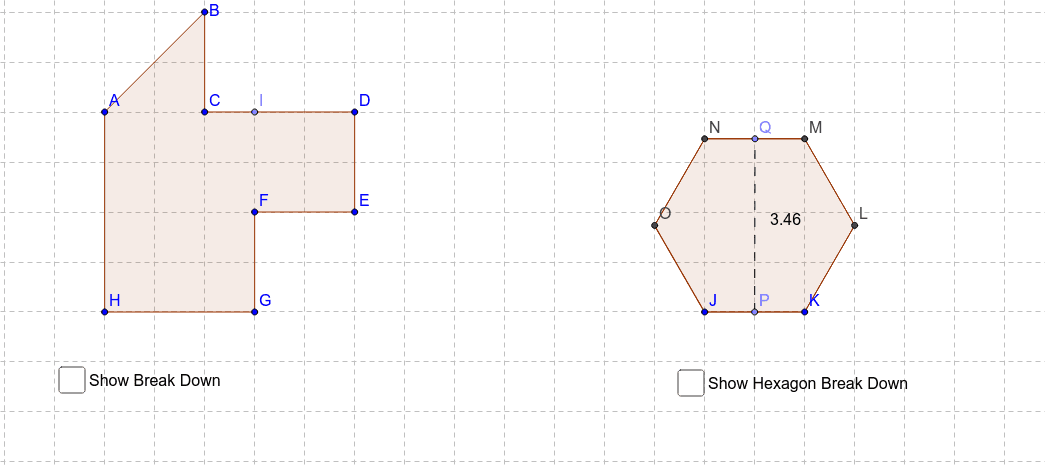
This applet explores the concept of breaking down a polygon into simpler shapes to find its total area. Key mathematical concepts include polygons and area calculation. It uses commands like Polygon, Segment, and Point in GeoGebra. Suitable for middle school and above students to learn geometric construction and area calculation.
GeoGebra Commands & Parameters
Polygon(A, B, C, D, E, F, G, H) → poly1, a, b, c, d, e, f, g, hSegment(A, C) → iPoint(c) → ISegment(F, I) → jPolygon(J, K, 6) → poly2, l, O, m, n, p, q, r, L, M, NPoint(l) → PPoint(p) → QSegment(P, Q) → sSegment(J, M) → tSegment(N, K) → a_1Segment(O, L) → b_1
AI Drawing Prompt Reference
Draw an octagon formed by eight points and divide it into two smaller polygons. First, connect four of the points to form a quadrilateral, then connect two more points inside the remaining quadrilateral to split it into two triangles and another quadrilateral. Label the dividing lines and their intersection points, and calculate the area of each smaller polygon to verify that their sum equals the total area of the original octagon.
The prompt above was compiled from the original drawing commands and is for reference only.