
Side Length Ratios Exploration
Loading the math board and drawing, please wait…
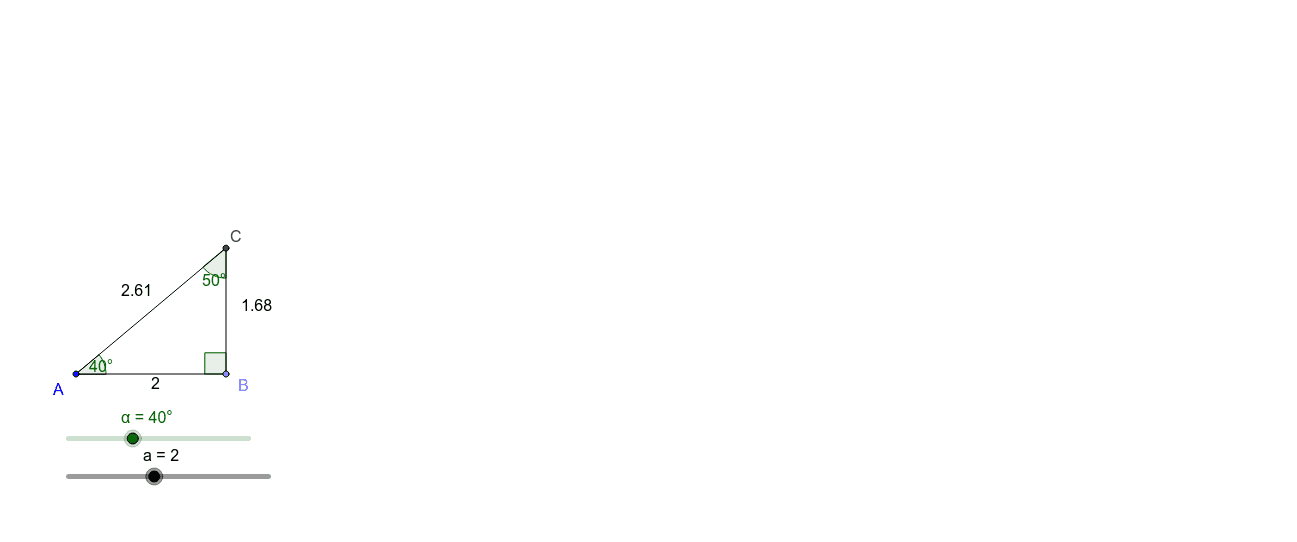
This example demonstrates the ratio relationships among the side lengths of right triangles, preparing learners for trigonometry. It involves core math concepts like trigonometric functions. Construction highlights include using GeoGebra commands like Point, Segment, Rotate, Angle, Ray, Intersect and objects such as α, a, A, B, b, B', β, A', γ, c, d, C, e, f, δ. Suitable for middle school and above students learning trigonometry basics.
GeoGebra Commands & Parameters
Point(Circle[A, a]) → BSegment(A, B) → bRotate(B, α, A) → B'Angle(B, A, B') → βRotate(A, -90*°, B) → A'Angle(A', B, A) → γRay(B, A') → cRay(A, B') → dIntersect(c, d) → CSegment(B, C) → eSegment(C, A) → fAngle(A, C, B) → δ
AI Drawing Prompt Reference
Draw a right triangle with labeled legs and hypotenuse. Rotate one of the legs around the right angle to form a new triangle. Label all vertices and edges. Draw a circle with the right angle vertex as the center and the hypotenuse as the radius. Connect the intersection points to form another triangle. Label all angles and sides, and display the ratio relationships between the side lengths of the original and new triangles.
The prompt above was compiled from the original drawing commands and is for reference only.