
Sine vs Cosine Exploration by Ben Graber
Loading the math board and drawing, please wait…
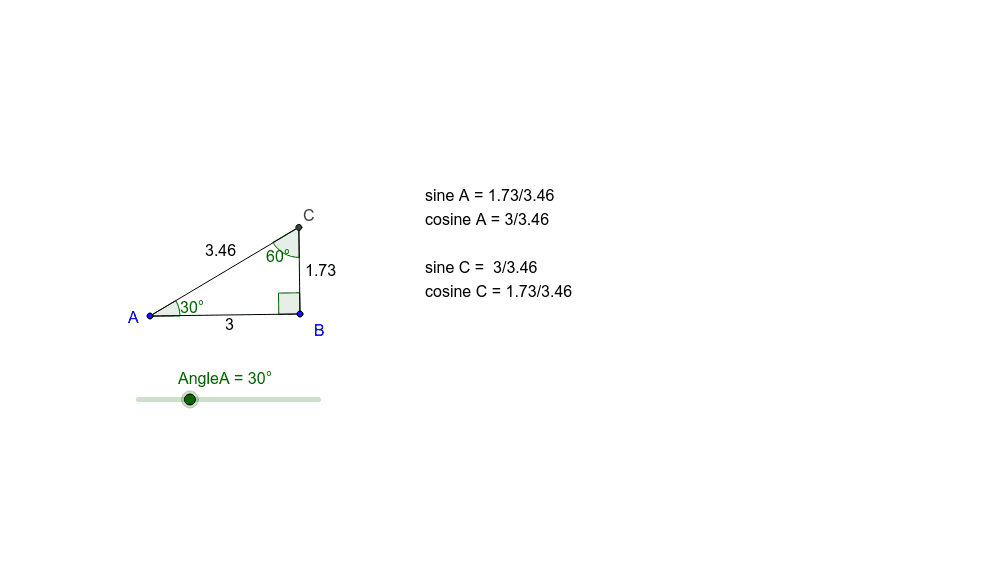
This example demonstrates the relationship between sine and cosine on a unit circle. It involves core math concepts like trigonometric functions, angles, and the unit circle. Construction highlights include using commands like Rotate, Angle, Ray, Intersect, and Segment in GeoGebra. Suitable for high school students learning trigonometry.
GeoGebra Commands & Parameters
Rotate(A, -90*°, B) → A'Angle(A', B, A) → αRotate(B, AngleA, A) → B'Angle(B, A, B') → βRay(B, A') → aRay(A, B') → bIntersect(a, b) → CSegment(C, B) → cSegment(C, A) → dSegment(A, B) → eAngle(A, C, B) → γ
AI Drawing Prompt Reference
Draw a unit circle and mark the 90-degree angle between the x-axis and a line from the center to the circle. From the center, draw a line at a 45-degree angle to the x-axis, intersecting the circle at a point. Connect the center to this point and draw a perpendicular line from the point to the x-axis, meeting it at another point. Connect these two points to form two right triangles. Measure the acute angles of both triangles and plot the corresponding sine and cosine functions to show their relationship with the unit circle.
The prompt above was compiled from the original drawing commands and is for reference only.