
Area of Parallelogram by Diego Lieban
Loading the math board and drawing, please wait…
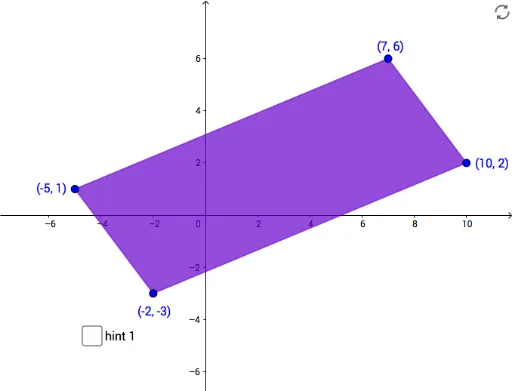
This example demonstrates how to calculate the area of a parallelogram using geometric construction. Key mathematical concepts include the properties of parallelograms and the area formula. Commands used include Polygon, Line, Intersect, Segment, Circle, etc. Suitable for middle school and above students learning geometry and area calculation.
GeoGebra Commands & Parameters
Polygon(B, A, D, C) → poly1, b, a, d, cPolygon(E, H, G, F) → poly2, e, h, g, fLine(E, H) → iLine(E, F) → jLine(F, G) → kLine(H, G) → lPolygon(B, E, A) → poly3, a_1, b_1, e_1Polygon(A, F, D) → poly4, d_1, a_2, f_1Polygon(B, H, C) → poly5, c_1, b_2, h_1Polygon(C, D, G) → poly6, g_1, c_2, d_2Line(I, j) → nIntersect(i, n) → JIntersect(k, n) → KSegment(J, K) → pCircle(J, 0.25) → qIntersect(q, p, 1) → LCircle(K, 0.25) → rIntersect(r, p) → M,Line(N, i) → sIntersect(j, s) → OIntersect(l, s) → PSegment(O, P) → tCircle(O, 0.25) → k_1Circle(P, 0.25) → p_1Intersect(p_1, t) → Q,Intersect(k_1, t) → R,
AI Drawing Prompt Reference
Draw a parallelogram to demonstrate the calculation of its area using geometric construction. Start by drawing the parallelogram's two pairs of opposite sides. Then, construct two triangles inside the parallelogram and fill them with color. Next, draw a diagonal and find the intersection points on it. Connect these points to form a line segment. Finally, draw small circles centered at these intersection points and find their intersections with the line segment, using these points to draw auxiliary line segments to complete the construction.
The prompt above was compiled from the original drawing commands and is for reference only.