
Area of an Annulus
Loading the math board and drawing, please wait…
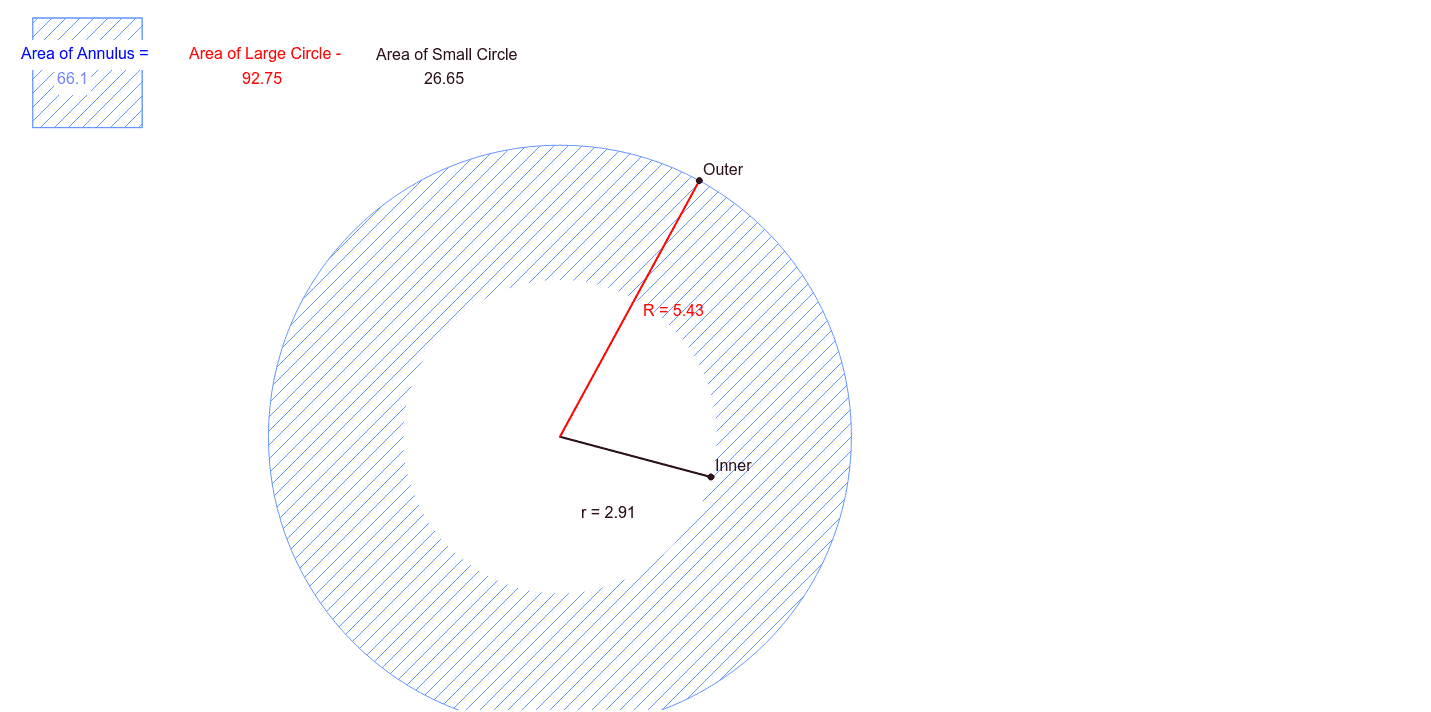
This example demonstrates the calculation of the area of an annulus. Key mathematical concepts include the area formula of a circle. Using GeoGebra commands such as Circle, Point, Segment, and Area, you can dynamically adjust the inner and outer radii of the annulus and observe the area changes. Suitable for students at the junior high school level and above for geometric construction and area calculation.
GeoGebra Commands & Parameters
Circle(A, B) → cPoint(c) → CSegment(B, C) → aPoint(c) → DSegment(D, C) → bPoint(a) → InnerCircle(A, Inner) → dCircle(A, Inner) → SmallCircle(A, F) → ePoint(e) → GSegment(F, G) → fPoint(f) → OuterCircle(A, Outer) → LargeSegment(A, Inner) → rSegment(A, Outer) → RArea(Large) → gArea(Small) → hPolygon(E, H, 4) → poly1, i, j, k, l, I, J
AI Drawing Prompt Reference
Draw an annulus to demonstrate the calculation of its area. Start by drawing a circle, then take a point on the circle and connect it to the center to form a line segment. Draw a smaller circle with the center as the center and the point on the circle as a point on the circle. Next, take another point on the larger circle, connect it to the center to form another line segment, and draw a larger circle with the center as the center and the point on the circle as a point on the circle. Measure the areas of the smaller and larger circles and calculate the difference to get the area of the annulus.
The prompt above was compiled from the original drawing commands and is for reference only.