
Explore the Area of a Triangle by David McBain
Loading the math board and drawing, please wait…
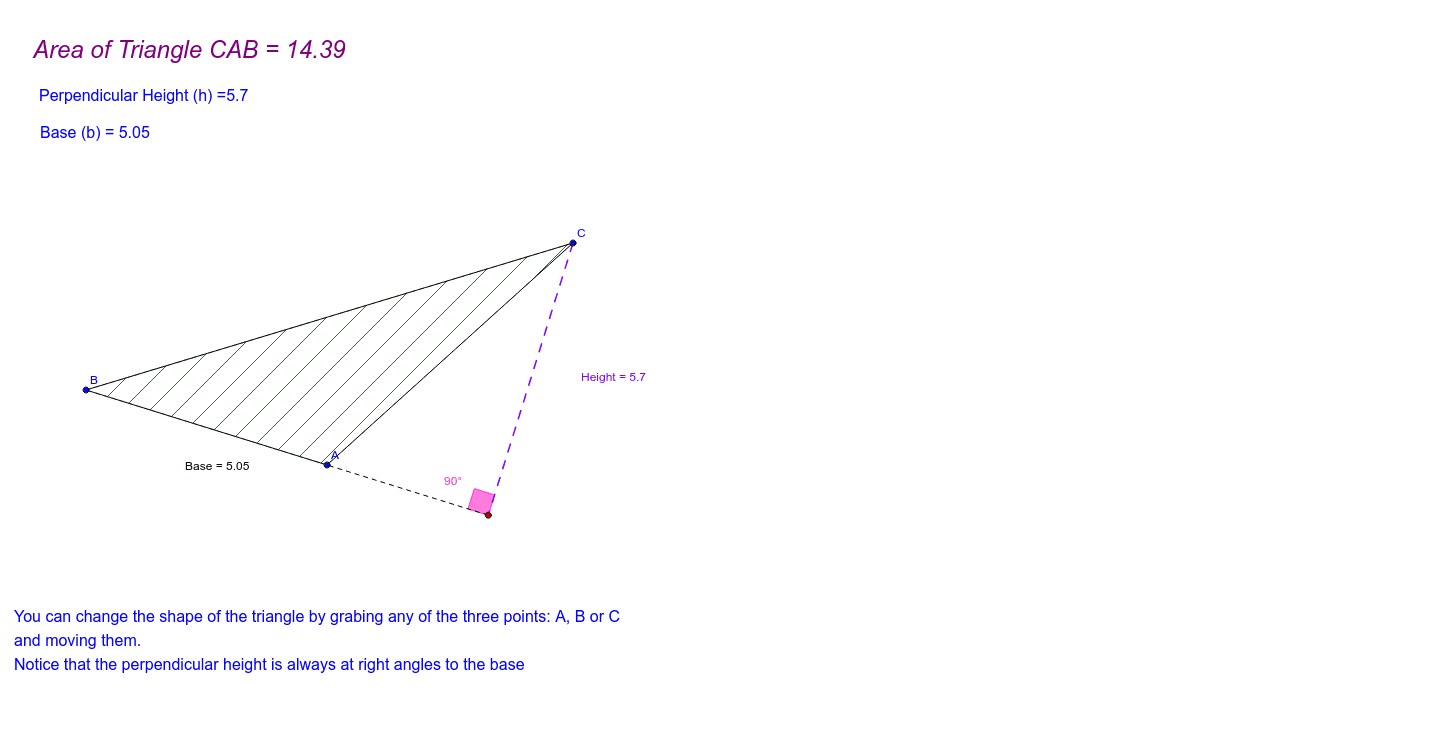
This example demonstrates how to calculate the area of a triangle using its base and height. It involves core math concepts like the triangle area formula, coordinate geometry, segment length, and angle measurement. Constructed using commands such as Line, OrthogonalLine, Segment, Intersect, Polygon, and PointIn to draw the triangle and measure its base and height. Suitable for middle school and above students learning triangle area calculation methods.
GeoGebra Commands & Parameters
Line(A, B) → aLine(C, a) → bOrthogonalLine(C, b) → cSegment(A, C) → dSegment(C, B) → eSegment(B, A) → BaseOrthogonalLine(C, a) → gIntersect(g, a) → DSegment(C, D) → HeightSegment(D, A) → iPolygon(C, A, B) → Triangle, b_1, c_1, a_1Angle(B, D, C) → αPointIn(Triangle) → PointTriangle_1PointIn(Triangle) → PointTriangle_2PointIn(Triangle) → PointTriangle
AI Drawing Prompt Reference
Draw a triangle and label its base and height to calculate its area. Connect the vertices to form the triangle, then draw perpendicular lines from the vertices to the opposite sides to mark the feet of the perpendiculars. Connect the vertices to the feet of the perpendiculars to get the base and height. Measure the lengths of the base and height, and calculate the area. Randomly place several points inside the triangle for further analysis.
The prompt above was compiled from the original drawing commands and is for reference only.