
Area of a Trapezoid
Loading the math board and drawing, please wait…
In collections
Area of a Trapezoid: Intuitive Discovery
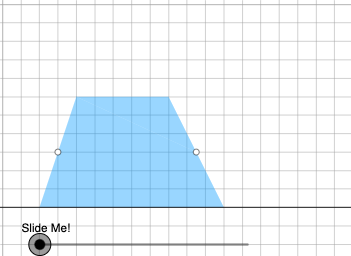
This example demonstrates the calculation of the area of a trapezoid, involving geometric shapes and area formulas. Key mathematical concepts include polygon area, properties of parallel lines, and geometric construction techniques. Construction involves using GeoGebra commands such as points, line segments, and parallel lines to create trapezoids and compute their areas. Suitable for middle or high school mathematics education to understand area calculations and geometric transformations.
GeoGebra Commands & Parameters
Point(Ray[A, A + (1, 0)]) → BPointIn(d) → CPolygon(A, B, C) → t1, f, a, bOrthogonalLine(C, g) → hIntersect(g, h) → C_{1}Point(Ray[C, C + (1, 0)]) → DDilate(C, If[0 < c ≤ 1, 1 - c, 0], D) → F'Dilate(D, If[1 < c ≤ 2, 2 - c, 0], C_{1}) → D'Rotate(C, If[2 < c ≤ 3, ((c - 2) * pi), pi], D) → F'_{1}Rotate(F', If[2 < c ≤ 3, ((c - 2) * pi), pi], D) → F''Angle(C, B, A) → βAngle(B, A, C) → γIf(γ ≟ pi / 2, 12, 16) → oMidpoint(B, D) → EPolygon(A, B, E, C) → q1, a_1, b_1, e, c_1Polygon(E, D, C) → t2, c_2, e_1, d_1Dilate(D, If[0 < c ≤ 1, 1 - c, 0], E) → D'_{1}Segment(D, D'_{1}) → iRotate(D, If[1 < c ≤ 2, ((-(c - 1)) * pi), (-pi)], E) → D'_{2}Rotate(D'_{1}, If[1 < c ≤ 2, ((c - 1) * pi), pi], E) → FSegment(D'_{2}, F) → i'Segment(C, D) → jSegment(A, C) → kDilate(C, If[2 < c ≤ 3, 3 - c, 0], E) → C'Segment(C, C') → lRotate(E, If[4 < c ≤ 5, ((-(c - 4)) * pi), (-pi)], E) → E'Rotate(D, If[4 < c ≤ 5, ((-(c - 4)) * pi), (-pi)], E) → D'_{3}Rotate(C, If[4 < c ≤ 5, ((-(c - 4)) * pi), (-pi)], E) → C'_{1}Polygon(E', D'_{3}, C'_{1}) → t2', c'_{1}, e', d'_{3}Segment(C'_{1}, D'_{3}) → mSegment(D'_{3}, E) → nSegment(C'_{1}, E) → pAngle(E, C'_{1}, D'_{3}) → αOrthogonalLine(C, g) → qIntersect(g, q) → GMidpoint(C, G) → HDilate(C, If[6 < c ≤ 7, 7 - c, 0], H) → C'_{2}Segment(C, C'_{2}) → rDilate(H, If[7 < c ≤ 8, 8 - c, 0], G) → H'Segment(H, H') → sRotate(C, If[8 < c ≤ 9, ((-(c - 8)) * pi), (-pi)], H) → C'_{3}Rotate(C'_{2}, If[8 < c ≤ 9, ((-(c - 8)) * pi), (-pi)], H) → ISegment(C'_{3}, I) → r'Midpoint(k) → JDilate(E, If[9 < c ≤ 10, 10 - c, 0], H) → E'_{1}Dilate(J, If[9 < c ≤ 10, 10 - c, 0], H) → J'Segment(J, J') → tSegment(E, E'_{1}) → f_1Polygon(A, C'_{1}, E, J) → q2, a_2, g_1, e_2, j_1Polygon(E, C, J) → t3, j_2, e_3, c_3Rotate(E, If[11 < c ≤ 12, ((-(c - 11)) * pi), (-pi)], E) → E'_{2}Rotate(C, If[11 < c ≤ 12, ((-(c - 11)) * pi), (-pi)], E) → C'_{4}Rotate(J, If[11 < c ≤ 12, ((-(c - 11)) * pi), (-pi)], E) → J'_{1}Polygon(E'_{2}, C'_{4}, J'_{1}) → t3', j'_{1}, e'_{2}, c'_{4}Segment(J'_{1}, C'_{4}) → h_1Segment(C'_{4}, E) → i_1Segment(E, J'_{1}) → k_1Segment(A, J) → l_1Segment(J, C) → m_1OrthogonalLine(C'_{1}, g) → n_1Intersect(n_1, p_1) → KOrthogonalLine(J'_{1}, g) → q_1Intersect(q_1, g) → LDilate(J'_{1}, If[13 < c ≤ 14, 14 - c, 0], L) → MSegment(J'_{1}, M) → r_1Dilate(C'_{1}, If[13 < c ≤ 14, 14 - c, 0], K) → NSegment(C'_{1}, N) → s_1Polygon(A, L, J'_{1}, J) → q3, a_3, l_2, t_1, j_3Polygon(L, C'_{1}, J'_{1}) → t4, f_2, l_3, g_2Dilate(J'_{1}, If[15 < c ≤ 16, 16 - c, 0], J) → OVector(J'_{1}, O) → uTranslate(L, u) → L'Translate(C'_{1}, u) → PTranslate(J'_{1}, u) → QPolygon(L', P, Q) → t4', q_2, l', p_2Segment(P, O) → h_2Segment(O, L') → i_2Polygon(A, C'_{1}, K, J) → q4, a_4, k_2, k_3, j_4Polygon(C'_{1}, J'_{1}, K) → t5, k_4, m_2, n_2Translate(C'_{1}, u) → RTranslate(J'_{1}, u) → STranslate(K, u) → K'Polygon(R, S, K') → t5', k', r_2, s_2Segment(R, Q) → t_2Segment(R, K') → b_2
AI Drawing Prompt Reference
Construct a plane figure starting from a given point A and a ray direction to place point B on the ray. Take a line through B (call it g) and choose point C on that line. Draw the line through C perpendicular to g and intersect it with g to obtain C1. From the same ray direction at C, place point D, then form the quadrilateral using A, B, and C as the initial polygon. Create additional points by applying successive dilations and rotations centered at C, D, and later E to get points such as D1 and F-type points, including a rotated copy involving C1 and a segment between C1 and the rotated points. Build the needed supporting triangles/polygons by connecting key vertices with segments, and use midpoints and connected edges to establish the parallel/height relationships used for trapezoid area computation, especially involving C1, D'3, and E-related points.
The prompt above was compiled from the original drawing commands and is for reference only.