
Area of a Trapezium Finding and Comparing
Loading the math board and drawing, please wait…
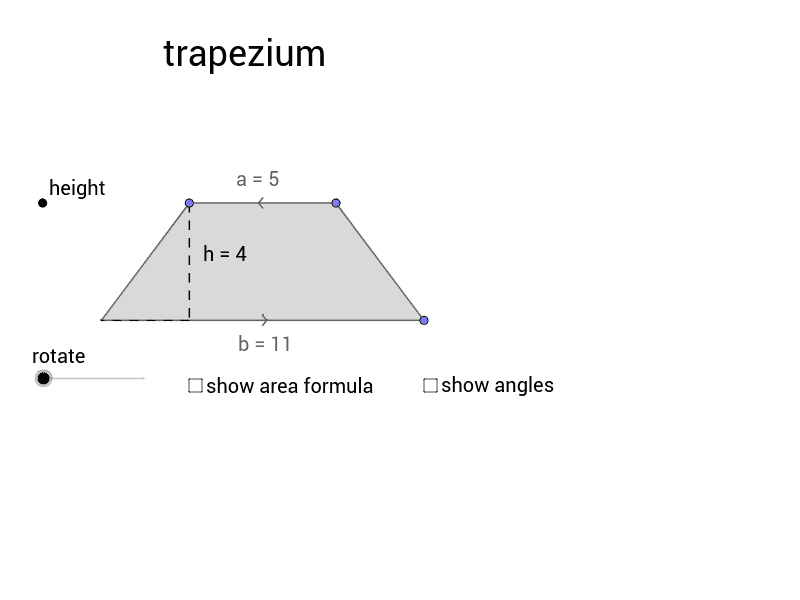
This example demonstrates how to calculate the area of a trapezium and compare it with other quadrilaterals such as parallelograms, rhombuses, rectangles, and triangles. The key mathematical concepts include the trapezium area formula, methods for calculating areas of various geometric shapes, and principles of comparing geometric figures. Construction involves using GeoGebra commands like Line, OrthogonalLine, Point, Intersect, Polygon, Segment, Angle, Midpoint, and Rotate to create trapeziums and other shapes. Suitable for middle or high school mathematics education to understand area calculations and applications of geometric properties.
GeoGebra Commands & Parameters
Line(A, B) → LbaseOrthogonalLine(A, Lbase) → LleftPoint(Lleft) → CLine(C, Lbase) → LaboveOrthogonalLine(B, Lbase) → LrightIntersect(Labove, Lright) → DPoint(Lbase) → EPoint(Lbase) → FPoint(Labove) → GPoint(Labove) → HPolygon(G, E, F, H) → trapezium_1, c, b, d, aOrthogonalLine(G, Labove) → LheightIntersect(Lbase, Lheight) → JSegment(G, J) → hAngle(G, E, F) → εAngle(E, G, H) → ζAngle(G, H, F) → ηAngle(H, F, E) → θPolygon(E, G, H, F) → square_1, e, g, h_1, fPolygon(E, G, H, F) → triangle_1, e_1, g_1, h_2, f_1Polygon(E, G, H, F) → parallelogram, e_2, g_2, h_3, f_2Polygon(E, G, H, F) → rectangle_1, e_3, g_3, h_4, f_3Polygon(E, G, H, F) → rhombus, e_4, g_4, h_5, f_4Segment(J, E) → iMidpoint(H, F) → IRotate(E, -α, I) → ErRotate(G, -α, I) → GrRotate(F, -α, I) → FrRotate(H, -α, I) → HrPolygon(Er, Fr, Hr, Gr) → mirror, b', fr, a', grAngle(Hr, Fr, Er) → βAngle(Fr, Er, Gr) → γAngle(Er, Gr, Hr) → δAngle(Gr, Hr, Fr) → ι