
Area of a Polygon
Loading the math board and drawing, please wait…
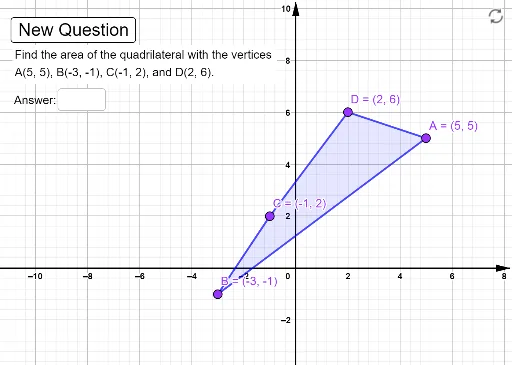
This example demonstrates how to calculate the area of a polygon using GeoGebra. Key mathematical concepts include the properties of polygons and area formulas. Using commands like Random, Line, Point, and Polygon, a polygon is constructed and its area is calculated. Suitable for middle school and above students to learn how to calculate the area of polygons.
GeoGebra Commands & Parameters
Random(-5, 5) → xARandom(1, 4) → aRandom(-5, 5) → yCRandom(-5, 5) → xCRandom(-5, 5) → yBRandom(-5, 5) → xBRandom(-5, 5) → yALine(A, C) → fPoint(f) → EOrthogonalLine(B, f) → gIntersect(f, g) → GVector(G, B) → uPoint(E, Vector[(a * (-u))]) → FPolygon(A, B, C, D) → q1, h, i, j, kCentroid(q1) → HTextfield(ans) → InputBox1