
Area Model for Multiplying Two-Digit by Two-Digit Numbers (2)
Loading the math board and drawing, please wait…
In collections
Multiplication with Area Models
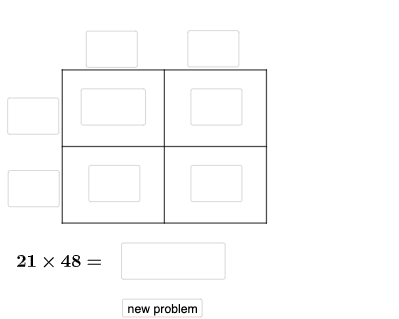
This example demonstrates how to compute a two-digit by two-digit multiplication using an area model. It breaks the product into several rectangle regions whose areas correspond to parts of the multiplication, making the distributive structure visually clear and linking the geometry to arithmetic expansion. Key concepts include place-value decomposition (tens and ones), area models as geometric representations of multiplication rules, and coefficient matching that reflects algebraic expansion. The construction uses Intersect to locate the key partition points, Point to create the vertices used in the layout, Polygon and Segment to build the rectangle-like regions and their boundaries, and If to control conditional logic for consistent region construction/labeling. It also employs Random for variable exploration and Textfield for step/value annotations. The model’s objects (multiple labeled points such as A, D, E, F, G, H, etc., plus parameter-like quantities such as q1, a_{2}, q2, and others) drive the partition sizes so learners can see how changing digits updates the area arrangement and the resulting product. Suitable for upper elementary through middle school, and for classroom demonstrations that connect geometric intuition with basic algebraic ideas.
GeoGebra Commands & Parameters
Intersect(xAxis, yAxis) → APoint(yAxis) → DPoint(xAxis) → EPoint(xAxis) → FPoint(yAxis) → LPolygon(A, E, G, L) → q1, a_{2}, e, g_{4}, l_{2}Polygon(E, F, H, G) → q2, e_1, f_{2}, h_{4}, g_1Polygon(G, H, K, J) → q5, g_2, h_3, k_1, j_{2}Polygon(L, G, J, D) → q6, l_1, g_3, j_1, d_{2}Segment(D, A) → qSegment(J, E) → sSegment(K, F) → tRandom(1, 9) → oRandom(1, 9) → uRandom(1, 9) → vRandom(1, 9) → wRandom(1, 9) → a_1Random(1, 9) → b_1Textfield(d_1) → aTextfield(m_1) → bTextfield(t_1) → dTextfield(u_1) → fTextfield(o_1) → gTextfield(p_1) → hTextfield(r_1) → kTextfield(s_1) → lTextfield(ansguess) → nIf(n_1 ≟ v, "√", "X") → text3If(t_1 ≟ (10 * w), "√", "X") → text4If(u_1 ≟ a_1, "√", "X") → text5If(ansguess ≟ produc, "☺", "☹ ") → text7Segment(L, H) → rSegment(A, F) → m_{2}Segment(D, K) → pIf(d_1 ≟ (10 * u), "√", "X") → text1If(m_1 ≟ v, "√", "X") → text2
AI Drawing Prompt Reference
Draw a geometric area model for multiplying two-digit numbers. The model includes the intersection of the x-axis and y-axis labeled A, and points D, E, F, L on the axes. Draw four rectangular regions: one formed by points A, E, G, L; another by E, F, H, G; a third by G, H, K, J; and a fourth by L, G, J, D. Connect these points with line segments such as D to A, J to E, K to F, L to H, A to F, and D to K. Add random numbers and text labels around the regions, and use conditional logic to add symbols and emojis. The model illustrates place value decomposition and algebraic expansion to help understand multiplication.
The prompt above was compiled from the original drawing commands and is for reference only.