
Area Model for Division
Loading the math board and drawing, please wait…
In collections
Division Strategies
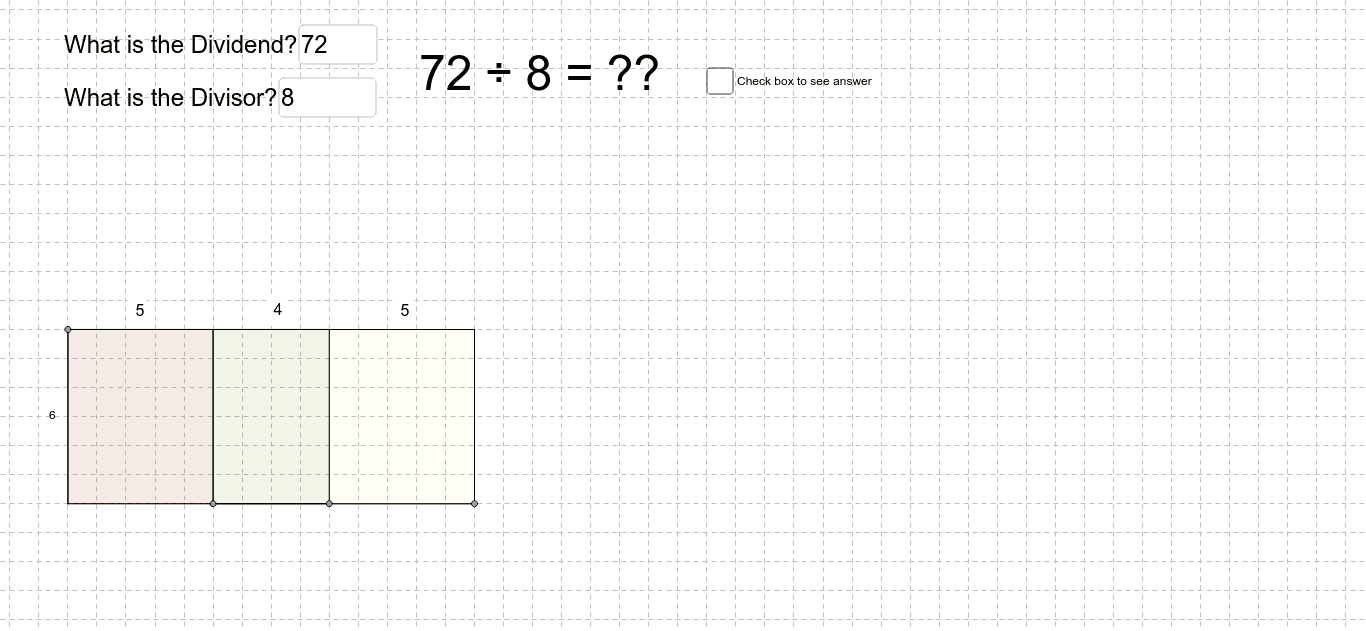
This example demonstrates how students use area and partial products to solve division problems. It involves core math concepts like division, area calculation, and partial products. The construction utilizes GeoGebra commands/objects such as Intersect, Point, Segment, OrthogonalLine, Polygon, Distance, PointIn, Textfield, Vector, Translate, Line, Ray, Rotate, Circle. It is suitable for middle school mathematics teaching, helping students understand the geometric meaning and calculation methods of division.
GeoGebra Commands & Parameters
Intersect(xAxis, yAxis) → APoint(xAxis) → BSegment(A, B) → aPoint(yAxis) → CSegment(A, C) → bOrthogonalLine(C, b) → cOrthogonalLine(B, a) → dIntersect(c, d) → DPoint(a) → EOrthogonalLine(E, a) → eIntersect(c, e) → FSegment(E, B) → fPoint(f) → GOrthogonalLine(G, f) → gIntersect(c, g) → HPolygon(A, C, F, E) → poly1, a_1, c_1, f_1, e_1Polygon(F, H, G, E) → poly2, f_2, h, g_1, e_2Polygon(H, D, B, G) → poly3, h_1, d_1, b_1, g_2Polygon(C, D, B, A) → poly4, c_2, d_2, b_2, a_2Segment(G, H) → iSegment(F, E) → jDistance(C, F) → distanceCFDistance(F, H) → distanceFHDistance(H, D) → distanceHDPointIn(poly4) → Pointpoly4Textfield(dividend) → inputBox3Textfield(Divisor) → inputBox4Vector(I, J) → uTranslate(B, u) → B'Line(B', u) → lPoint(l) → KRay(B', K) → mOrthogonalLine(B', m) → nPoint(Circle[B', abs(Divisor)]) → LSegment(B', L) → pRotate(B', 90*°, B') → B''Rotate(L, 90*°, B') → L'Segment(B'', L') → p'Circle(B', k) → qIntersect(q, m) → M,Segment(B', M) → rOrthogonalLine(L', p') → sOrthogonalLine(M, r) → tIntersect(s, t) → NPolygon(L', N, M, B') → poly5, l', n_1, m_1, b'Distance(B', L') → distanceB'L'PointIn(poly5) → Pointpoly5
AI Drawing Prompt Reference
Draw a geometric model showing a rectangle divided into four parts with labeled points and lines. Start by plotting the x and y axes and finding their intersection point. Draw line segments from the intersection to form a rectangle. Then, draw perpendicular lines from one vertex to create intersections and new points. Form four smaller rectangles using these points and label their areas. Add text boxes for the dividend and divisor, draw a circle based on the divisor, and use rotation and intersection to create a new shape, demonstrating the division process.
The prompt above was compiled from the original drawing commands and is for reference only.