
Are Two Triangles Similar Using Transformations? (G-SRT.A2)
Loading the math board and drawing, please wait…
In collections
Geometry - Transformations for similarity and congruence
Geometry - Transformations for similarity and congruence
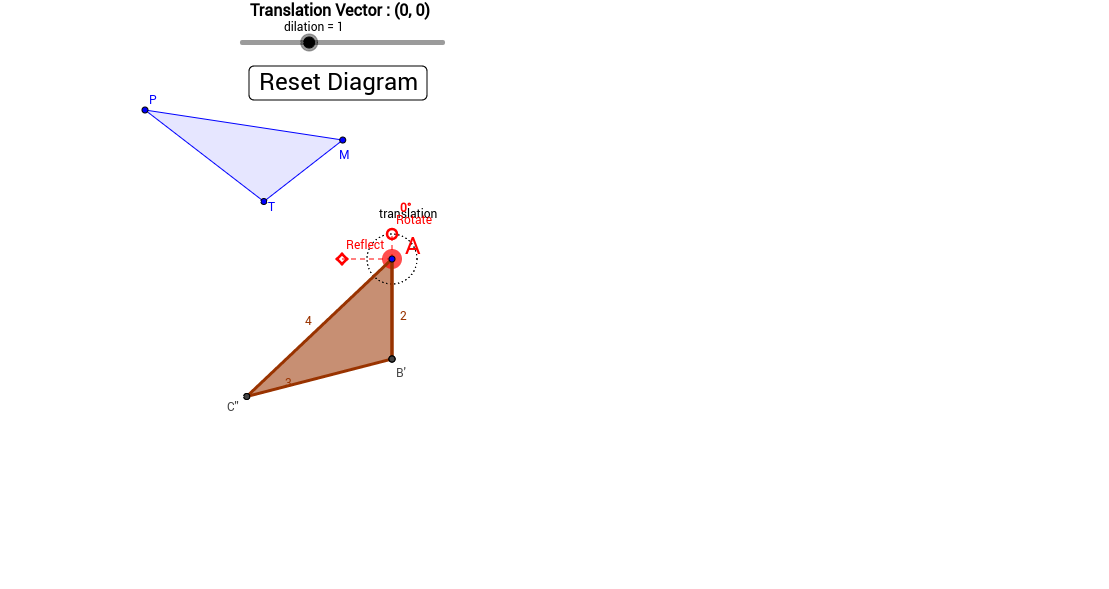
This GeoGebra example demonstrates how to determine whether two triangles are similar by applying geometric transformations such as rotation, reflection, and dilation. It visually shows the process of mapping one triangle onto another while preserving angle measures and proportional side lengths. The core mathematical concepts include triangle similarity criteria (AA, SAS, SSS) and properties of rigid and non-rigid transformations. The construction uses GeoGebra commands like Circle, Point, Line, Intersect, Polygon, Rotate, Reflect, Dilate, Angle, and Vector to build the original triangle and generate the transformed triangle. A slider (HandleRadius) allows dynamic adjustment of transformation parameters, enabling exploration of when the triangles remain similar. This resource is suitable for middle school to high school geometry classes, serving as an interactive demonstration for teachers or a self-guided exploration for students to understand similarity through transformations.
GeoGebra Commands & Parameters
If(b < c, (b * 0.25), (c * 0.25)) → HandleRadiusCircle(A, HandleRadius) → dPoint(d) → RotateLine(Rotate, A) → eCircle(A, b) → fIntersect(f, e, 2) → BCircle(B, a) → gCircle(A, c) → hIntersect(g, h, 2) → CIntersect(g, h, 1) → C'Polygon(A, B, C) → poly1, c_1, a_1, b_1OrthogonalLine(A, e) → iIf(b < c, (b * 0.5), (c * 0.5)) → FlipHandleRadiusCircle(A, FlipHandleRadius) → kIntersect(k, i) → E, FSegment(F, E) → jPoint(j) → ReflectPolygon(A, B, C') → poly2, d_1, a_2, b_2Segment(Reflect, C) → lSegment(Reflect, C') → mSegment(A, Reflect) → nSegment(A, Rotate) → pPolygon(M, P, T) → poly3, p_1, m_1, n_1Dilate(A, dilation, A) → A'Dilate(B, dilation, A) → B'Dilate(C', dilation, A) → C''Polygon(A', B', C'') → poly2', c'', a', b'Dilate(A, dilation, A) → A'_1Dilate(B, dilation, A) → B'_1Dilate(C, dilation, A) → C'''Polygon(A'_1, B'_1, C''') → poly1', c'_1, a'_1, b'_1Circle(A, 0.2) → qIntersect(d, r, 1) → DAngle(Rotate, A, D) → αVector(AStartValue, A) → u
AI Drawing Prompt Reference
Draw two triangles to demonstrate similarity through transformations like rotation, reflection, and dilation. The first triangle is defined by three points, and the second triangle is derived by transforming the first. Use a slider to adjust the dilation parameter and observe if the triangles remain similar after transformation. Include auxiliary circles, lines, and angles to indicate key transformation processes such as the rotation center, reflection axis, and dilation center.
The prompt above was compiled from the original drawing commands and is for reference only.