
Archimedes Screw
Loading the math board and drawing, please wait…
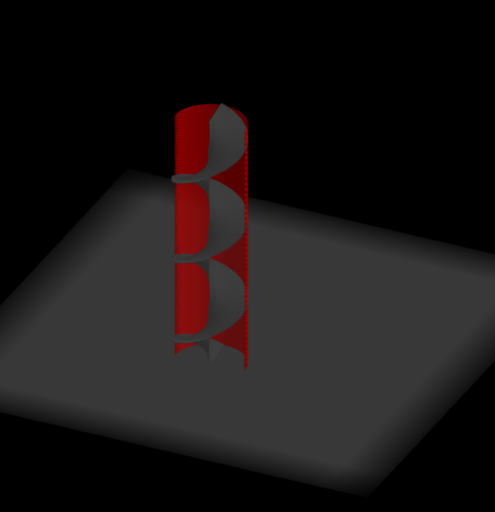
This example demonstrates the 3D visualization and generation process of an Archimedes screw. Key mathematical concepts involved include parametric curves, surfaces, vector operations, and rotation. The construction utilizes GeoGebra commands such as Intersect, Point, Segment, Vector, Sequence, Cylinder, Rotate, and Surface, as outlined in the construction summary. It is suitable for high school and above students learning about solid geometry, parametric equations, and 3D graphical constructions.
GeoGebra Commands & Parameters
Intersect(xAxis, yAxis) → APoint(xAxis) → BSegment(A, B) → aVector((0, 0, 0), (0, 0, 0.01)) → uSequence(Rotate[Segment[Translate[A, Vector[(n * u)]], Translate[B, Vector[(n * u)]]], (n * π / 60), zAxis], n, 0, 360) → list1Cylinder((0, 0, 0), (0, 0, 3.6), 0.51) → c, d, e, fRotate(list1, (-b), zAxis) → list1'Surface(u, sqrt(0.25 - u^(2)), v, u, -0.5, 0.5, v, 0, 3.6) → g