
Applications of Similar Triangles
Loading the math board and drawing, please wait…
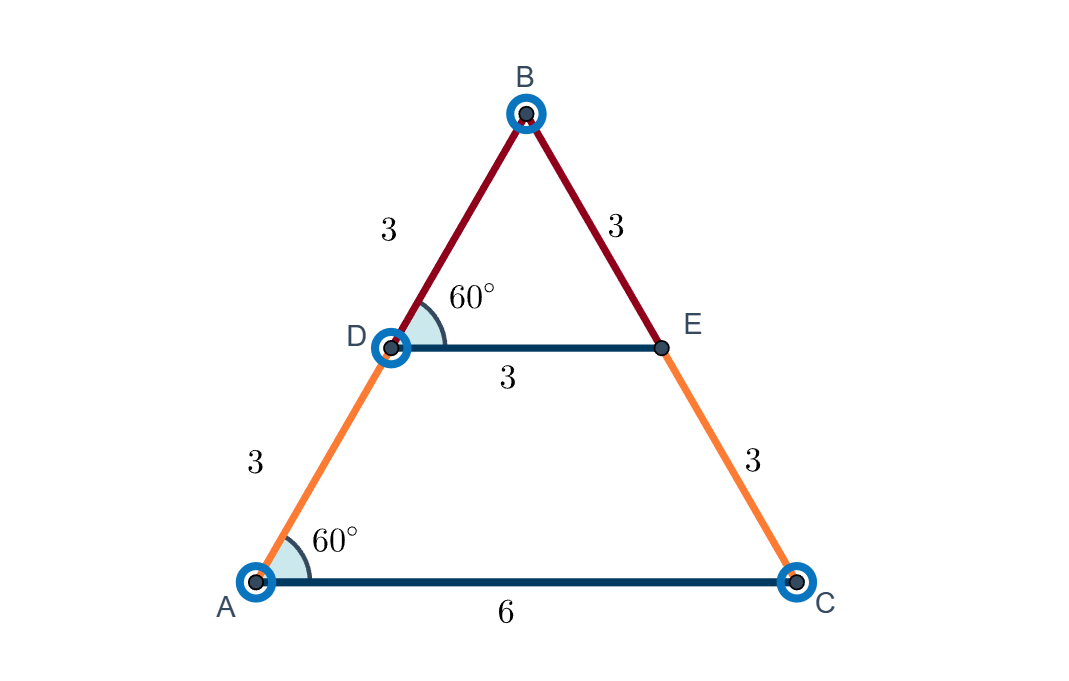
This example demonstrates the applications of similar triangles. It involves key mathematical concepts such as the properties of similar triangles and similarity transformations. Using GeoGebra commands like Polygon, Point, Line, Intersect, Segment, Angle, Midpoint, AngularBisector, Circle, etc., a series of geometric figures can be constructed. Suitable for middle and high school students to learn about similar triangles.
GeoGebra Commands & Parameters
Polygon(A, B, C) → poly1, c, a, bPoint(c) → DLine(D, b) → dIntersect(d, a) → ESegment(D, E) → eSegment(A, C) → fSegment(B, D) → gSegment(B, E) → hSegment(D, A) → iSegment(E, C) → jAngle(E, D, B) → αAngle(C, A, B) → βMidpoint(B, D) → KMidpoint(B, E) → LMidpoint(D, A) → MMidpoint(E, C) → NMidpoint(D, E) → OMidpoint(A, C) → PAngle(E, D, B) → γAngle(C, A, B) → δAngularBisector(B, D, E) → qCircle(D, 1) → rCircle(A, 1) → sAngularBisector(B, A, C) → tIntersect(r, q, 2) → QIntersect(s, t, 2) → R
AI Drawing Prompt Reference
Draw a triangle and drop a perpendicular from one vertex to the opposite side, marking the foot. Then, draw two equal circles centered at the foot and the vertex. Find the intersections of these circles with the perpendicular. Connect these points and draw the angle bisectors of the triangle, finally locating the intersection points of the bisectors with the circles.
The prompt above was compiled from the original drawing commands and is for reference only.