
Apparent Parallel Lines
Loading the math board and drawing, please wait…
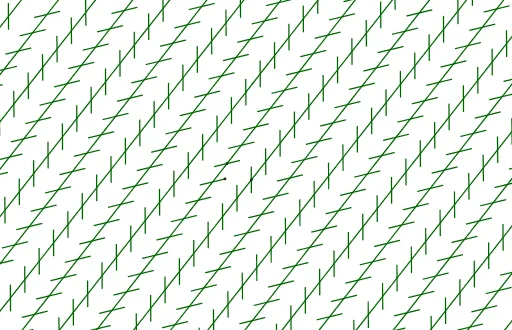
This example demonstrates how to construct two lines that appear parallel but have subtle differences. It involves core math concepts like straight lines, coordinate geometry, and sequence generation. The construction uses GeoGebra commands/objects such as Line, Segment, and Sequence. Suitable for high school mathematics to understand parallel line determination and visual illusions.
GeoGebra Commands & Parameters
Line((0, 0), B) → fSegment(A, (-A)) → gSequence(Translate[f, (k * C)], k, -20, 20) → L_1Sequence(Sequence[Translate[If[Mod[l, 2] ≟ 1, Mirror[g, f], g], (k * B) + (l * C)], k, -10, 10], l, -10, 10) → L_2
AI Drawing Prompt Reference
Draw two lines that appear parallel but have subtle differences. Start by drawing a line from the origin, then draw a symmetric segment from point A to point A. Next, create a series of lines by translating the original line in a specific direction. Finally, generate another series of lines by translating and mirroring the original segment and line.
The prompt above was compiled from the original drawing commands and is for reference only.