
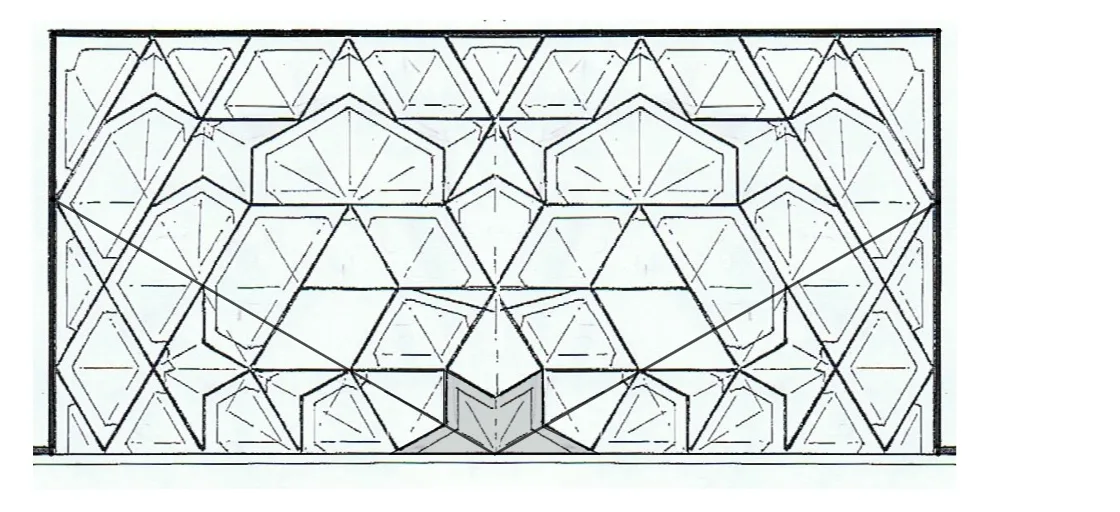
Ankara - Arslanhane Cami Mihrab
Loading the math board and drawing, please wait…
In collections
Fatin Uluengin - muqarnas
This example demonstrates the geometric construction of the mihrab in Ankara - Arslanhane Cami. Key mathematical concepts include geometric construction and transformation. Using GeoGebra commands such as Intersect, ConstructionStep, Point, PolyLine, Segment, Rotate, Ray, Mirror, Angle, OrthogonalLine, and Polygon, the geometric shape of the mihrab can be constructed. Suitable for high school geometry education, helping students understand the basic principles of geometric construction and transformation.
GeoGebra Commands & Parameters
Intersect(xAxis, yAxis) → AConstructionStep() → stapPoint(xAxis) → BPoint(xAxis) → CPolyLine(B, D, E, C) → fSegment(B, C) → lPoint(xAxis) → FPoint(f) → GSegment(F, G) → gPoint(xAxis) → HPoint(f) → ISegment(H, I) → hPoint(f) → JSegment(A, J) → iPoint(xAxis) → KPoint(f) → LSegment(K, L) → jPoint(f) → MSegment(M, N) → kRotate(B, (-(30°))) → B'Ray(A, B') → mIntersect(m, f) → OMirror(O, i) → O'Segment(A, O) → nSegment(A, O') → pAngle(O, A, B) → αPoint(l) → TMirror(T, yAxis) → T'Mirror(afbeelding2, yAxis) → afbeelding2'Segment(U, T') → qSegment(V, T) → rOrthogonalLine(V, xAxis) → sOrthogonalLine(U, xAxis) → tIntersect(s, p) → WIntersect(t, n) → ZIntersect(i, q) → A_1Polygon(T, Z, U, A_1, V, W, T') → veelhoek1, t_1, z_1, u, a_1, v, w, t'Mirror(afbeelding3, yAxis) → afbeelding3'
AI Drawing Prompt Reference
Please draw a mihrab figure located within a square. The mihrab is typically a semi-circular or arc-shaped structure, often placed at the center of a square. The figure should include a square, a semi-circle, and lines connecting them. The construction order is to first draw the square, then draw the semi-circle at its center, and finally connect the square's edges to the semi-circle to ensure geometric principles are followed.
The prompt above was compiled from the original drawing commands and is for reference only.