
Animation Demonstrating Geometric Transformations and Loci by Tim Brzezinski
Loading the math board and drawing, please wait…
In collections
Congruence (CO) Cluster
Congruence (Vol 2)
CCSS High School: Geometry (Congruence) Volume 2
CCSS High School: Geometry (Congruence) Volume 2
CCSS High School: Geometry (Congruence) Volume 2
Geometry (Congruence) Volume 2
CCSS High School: Geometry (Congruence) Volume 2
CCSS High School: Geometry (Congruence) Volume 2
CCSS High School: Geometry (Congruence) Volume 2
CCSS High School: Geometry (Congruence) Volume 2
CCSS High School: Geometry (Congruence) Volume 2
CCSS High School: Geometry (Congruence) Volume 2
CCSS High School: Geometry (Congruence) Volume 2
Gail LeBlancCCSS High School: Geometry (Congruence) Volume 2
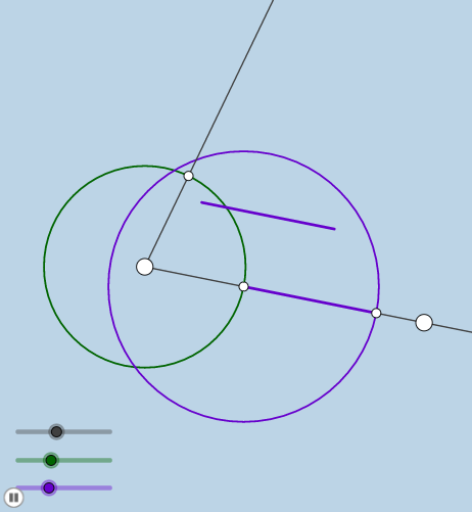
This example dynamically illustrates transformations and locus problems involving cones, secant lines, rotations, and angle changes. Key mathematical concepts include angles, secant lines, cones, differential equations, tree diagrams, and geometric transformations. GeoGebra commands like Ray, Rotate, Angle, Circle, Intersect, OrthogonalLine, Distance, CircleArc, Dilate, Segment, Vector, Translate, and CircleSector are used in the construction. Suitable for high school students and math enthusiasts exploring spatial geometry and dynamic geometry problems.
GeoGebra Commands & Parameters
Ray(A, B) → fRotate(B, (a * π / 180), A) → B'Angle(B, A, B') → αRay(A, B') → gCircle(A, b) → cRotate(B, (a / 2 * π / 180), A) → B'_1Angle(B, A, B'_1) → βRay(A, B'_1) → hIntersect(c, f, 1) → CIntersect(c, g) → D,OrthogonalLine(C, h) → iIntersect(i, h) → EDistance(C, E) → dCircle(C, e) → kCircle(D, e) → pIntersect(k, p, 2) → FRotate(C, If[1 < j ≤ 2, (((j - 1) * 2) * π), (2 * π)], A) → C'CircleArc(A, C, C') → qIntersect(k, f, 1) → GDilate(A, If[0 < j ≤ 1, 1 - j, 0], C) → A'Segment(A, A') → lDilate(C, If[2 < j ≤ 3, 3 - j, 0], G) → C'_1Segment(C, C'_1) → mRotate(G, If[3 < j ≤ 4, (((j - 3) * 2) * π), (2 * π)], C) → G'CircleArc(C, G, G') → rDilate(C, If[4 < j ≤ 5, 5 - j, 0], D) → C'_2Vector(C, C'_2) → uTranslate(C, u) → C'_3Translate(C'_1, u) → HSegment(C'_3, H) → m'Rotate(H, If[5 < j ≤ 6, (((j - 5) * 2) * π), (2 * π)], D) → H'CircleArc(D, H, H') → sAngle(H, D, F) → γAngle(H, D, H') → δCircle(F, 2) → tIntersect(t, h, 2) → ICircle(A, (0.3 * b)) → c_1Intersect(c_1, h, 1) → JIntersect(f, l) → KIntersect(c_1, f) → L,CircleSector(A, L, J) → d_1Ray(F, I) → nDilate(A, If[6 < j ≤ 7, 7 - j, 0], F) → A'_1Segment(A, A'_1) → f_1Rotate(L, If[7 < j ≤ 8, (((j - 7) * a / 2) * π / 180), (a / 2 * π / 180)], A) → L'CircleSector(A, L, L') → e_1Rotate(e_1, If[9 < j ≤ 10, (((j - 9) * a / 2) * π / 180), (a / 2 * π / 180)], A) → g_1
AI Drawing Prompt Reference
Draw a cone with vertex A, and two rays AB and AC. Rotate point B around A to form angle α, and draw the base circle c of the cone. Use rotation and intersection operations to construct a series of arcs and segments, demonstrating the cone's rotational and translational transformations. Finally, draw arcs and sectors on the base circle to show the cone's section changes.
The prompt above was compiled from the original drawing commands and is for reference only.